

This guide is for sales, business development, and deal teams that run a real part of their pipeline through LinkedIn and want to know what each CRM actually does before they buy. It brings together 20 CRMs for LinkedIn integration so you can compare pricing, best fit, and LinkedIn strength in one place. Then it goes deep on nine CRMs with full features and pricing.
As you read the table and the descriptions, think about two things: a) where does LinkedIn actually sit in your sales motion, top-of-funnel sourcing or where deals get worked, and b) which Sales Navigator tier does the integration you want depend on. Those two answers will help you narrow 20 tools to a real shortlist that you can choose from.
Why Integrate Your CRM with Sales Navigator
Syncing the two turns LinkedIn from a separate research tab into a source that keeps your CRM current on its own. Here’s what that connection actually buys your team.
It builds records without the retyping. Creating a contact by hand means copying name, title, company, and location one field at a time, which eats real hours across a week. With CRM Sync you create the lead from inside Sales Navigator and the core fields populate from LinkedIn's own data, so records start clean instead of half-finished.
It keeps contacts from going stale. People change jobs constantly, and a CRM full of outdated roles wastes outreach on the wrong companies. Sales Navigator's data validation flags when a contact has moved on and lets you update the record in a few clicks, so you stop emailing people who left months ago.
It surfaces warmer paths into an account. The sync unlocks filters you cannot get otherwise, like past customers who changed companies and people already sitting in your CRM. A former customer who lands somewhere new often already knows your value, which makes them a warmer way in than a cold name.
It logs activity so nobody has to. Sellers rarely keep a manual CRM current, and the gaps make pipeline reporting unreliable. Activity writeback auto-logs your Sales Navigator messages, InMails, and notes into the CRM, which frees the team from data entry and lets leaders see what is actually happening on an account.
Native CRM Sync is a Sales Navigator Advanced Plus feature and currently works with Salesforce, Microsoft Dynamics, and HubSpot, so the benefits above depend on both your LinkedIn tier and which CRM you run.
The 20 LinkedIn CRMs at a glance
Not every CRM connects to LinkedIn the same way. Some capture or sync profiles natively; others only manage it through third-party connectors. Here's the full list of LinkedIn CRMs, with how each one helps with LinkedIn sync.
# | CRM | LinkedIn integration | Native? | Starting price | Best for |
1 | Rings | Via Chrome extension | ✅ | Custom | VC, PE, dealmaking finance, professional services, and recruiting firms |
2 | folk | folkX 1-click Chrome capture | ✅ | $25/mo | LinkedIn-first mid-size teams |
3 | HubSpot | Native Sales Navigator embed | ✅ | $15/mo | All-around, marketing-led |
4 | Salesforce | Sales Navigator panel + Einstein | ✅ | $25/mo | Enterprise, complex deals |
5 | Breakcold | Auto-syncs DMs & InMails | ✅ | $29/mo | AI-native social selling |
6 | Nimble | Nimble Prospector capture | ✅ | $24.90/mo | Solopreneurs, social sellers |
7 | Salesflare | LinkedIn sidebar | ✅ | $29/mo | Relationship-driven B2B |
8 | Microsoft Dynamics 365 | Relationship Sales (Sales Nav bundle) | ✅ | $65/mo | Microsoft-native orgs |
9 | Copper | Chrome/Gmail capture | ✅ | $9/mo | Google Workspace teams |
10 | Apollo.io | Chrome scrape + enrich | ✅ | Free / $49/mo | SDR outbound at scale |
11 | LeadDelta | LinkedIn network manager | ✅ | $25/mo | Working an existing network |
12 | NetHunt | Gmail-native LinkedIn capture | ✅ | $30/mo | Gmail-living teams |
13 | Capsule | Chrome capture | ✅ | $18/mo | Boutique relationship teams |
14 | Sales Navigator (CRM apps) | The native LinkedIn layer itself | ✅ | ~$80/mo | Enterprise on a major CRM |
15 | Zoho CRM | Lead Gen Form import + extensions | ⚠️ partial | $14/mo | Budget full-stack SMB |
16 | Pipedrive | Via apps (Surfe, etc.) | ❌ | $14/mo | SMB visual pipelines |
17 | Close | Integration only | ❌ | $49/mo | Call-heavy outbound |
18 | Freshsales | Zapier / Clearbit | ❌ | $11/mo | AI scoring + WhatsApp |
19 | Salesmate | Zapier / Make | ❌ | $23/mo | Multichannel (calls/SMS) |
20 | Attio | None native | ❌ | $36/mo | Flexible modern data model |
The 9 best CRMs with LinkedIn integration
However you sell, the CRMs below all put LinkedIn to real work, whether that's capturing profiles, syncing conversations, or mapping who your team actually knows. Here are the nine best CRMs:
1. Rings AI
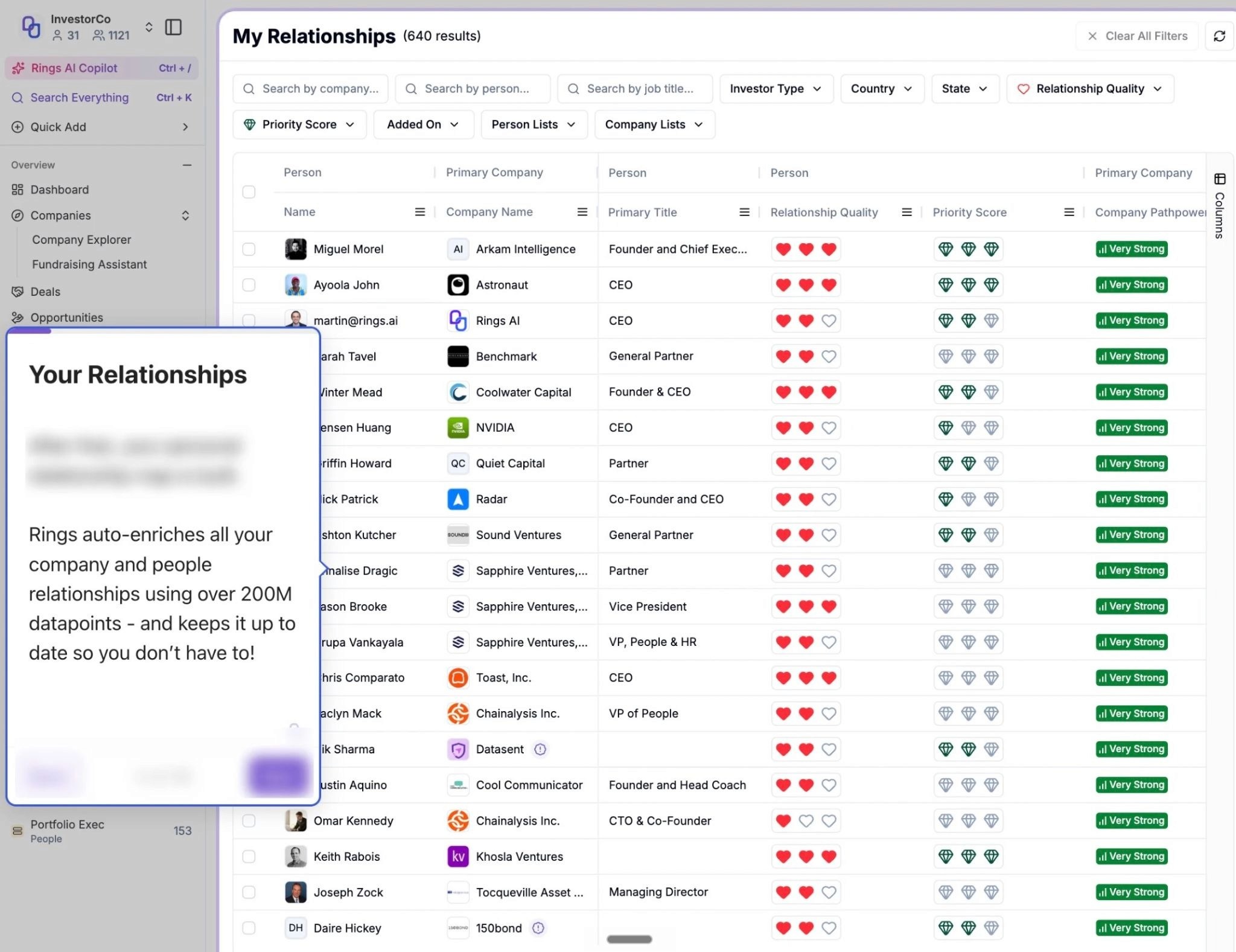
Rings AI is a CRM built specifically for investors, and that focus is exactly why LinkedIn matters inside it. Instead of treating LinkedIn as a place to blast connection requests, Rings reads your team's LinkedIn and email activity to map the firm's collective network and score relationship strength. The result is a clear answer to the question that actually moves deals: who on our team has the warmest path to this person?
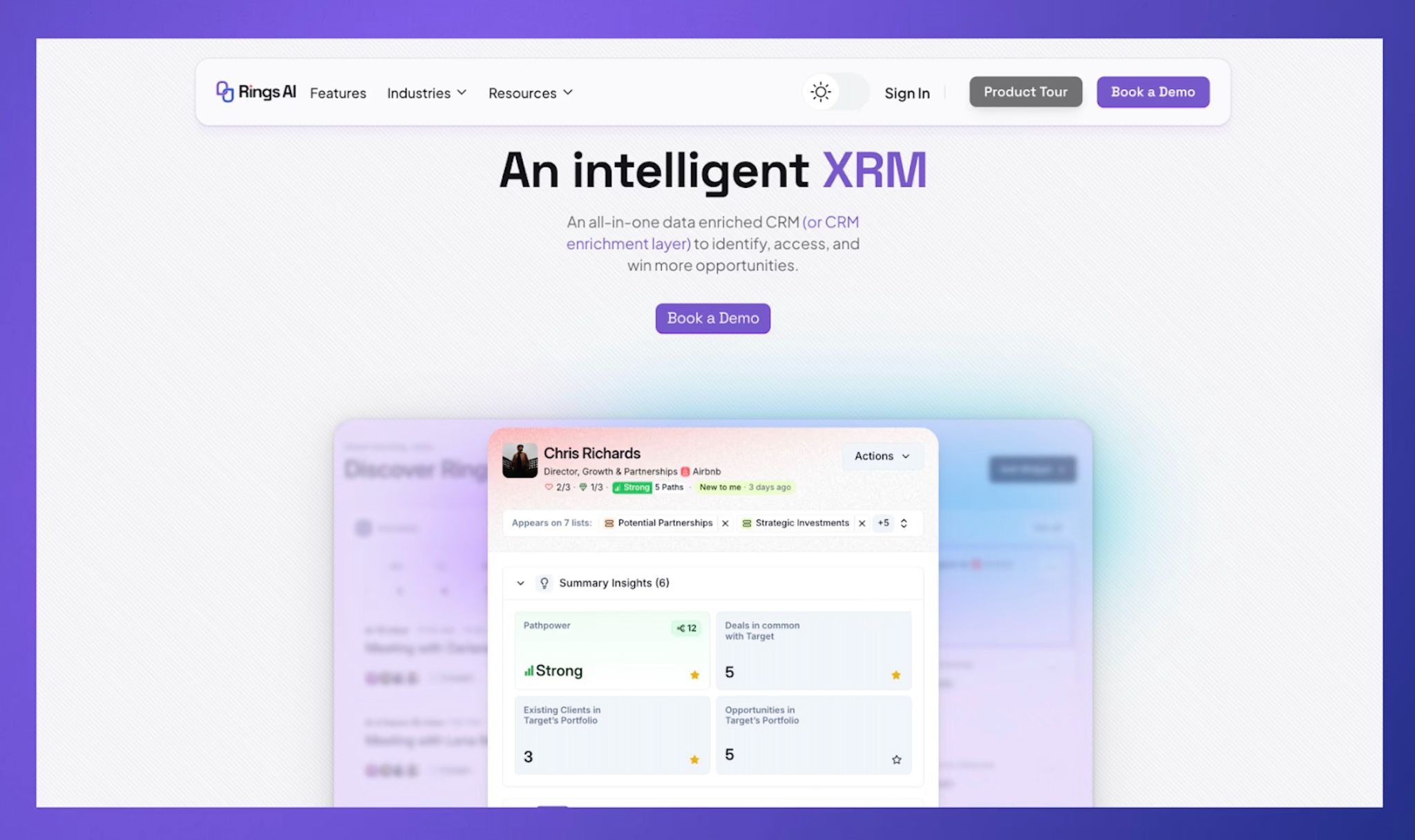
People and companies are persistent objects in Rings, so notes, meetings, and history live at the relationship level and never get tossed when a deal closes. On top of that context, Copilot prepares meeting dossiers, surfaces relationships that have gone cold, and answers questions across the team's knowledge base.
Key features
Team network mapping across email and LinkedIn, with relationship-strength scoring
Persistent person and company records (relationships, not point-in-time opportunities)
Copilot for meeting prep, relationship catch-ups, and querying the team knowledge base
Sourcing engine plus round-by-round venture deal data in one system
Rings is purpose-built for VC, PE, dealmaking finance, professional services, and recruiting firms, so it is not a generic sales CRM. It fits a team size of typically 5 to 50 people who win on warm access and want their network, deals, and relationship history in one place. Pricing is custom, so book a demo here to see the tool, and discuss your exact requirements.
2. folk
folk is a lightweight, relationship-first CRM that treats LinkedIn as the front door to your pipeline. Its folkX Chrome extension captures a profile in one click (name, title, company, email) and drops it straight into a shared workspace, where teams organize contacts with tags and pipeline stages and run multichannel follow-ups from a no-code builder. The interface feels like a smart spreadsheet or Notion, which keeps the learning curve short for small teams.

Key features & pricing
folkX one-click LinkedIn capture into shared pipelines
Tags, pipeline stages, and AI "magic fields" for quick enrichment
No-code multichannel sequences and dashboards
There is no built-in dialer (it relies on Aircall or Ringover) and no free plan beyond a 14-day trial, so it suits relationship-led and mid-size sales teams who start conversations on LinkedIn and want a clean shared system rather than a calling-heavy outbound shop. Pricing runs from $25/user/mo (Standard) to $50 (Premium), with custom plans from $100.
3. HubSpot
HubSpot is the all-around pick for teams that want LinkedIn tied directly to pipeline and reporting. With a Sales Navigator license, reps see LinkedIn profiles, mutual connections, and job changes inside contact, company, and deal records, and can send connection requests or InMails with the activity auto-logged. Beyond LinkedIn it unifies email, calls, ads, and site analytics, so you get one view from first touch to closed deal.

Key features & pricing
Native Sales Navigator panel inside CRM records
Unified contact and company timelines (email, calls, notes, LinkedIn)
Strong no-code automation, lead scoring, and reporting
The full Sales Navigator panel needs a paid seat plus a LinkedIn license, and pricing scales steeply at the Professional and Enterprise tiers, so it lands best with marketing-led, inbound-heavy B2B teams that want LinkedIn activity feeding pipeline. There is a free CRM, with Starter at $15/seat/mo and Professional around $90 to $100/seat/mo.
4. Salesforce Sales Cloud
Salesforce is what large organizations reach for when LinkedIn is a serious channel inside complex deals. Embedded Sales Navigator panels surface real-time LinkedIn signals next to opportunity data, while Einstein AI suggests next-best actions and pulls insight from conversations. It is built for multisite sales, partnerships, and long-cycle deals.
Key features & pricing
Sales Navigator panel embedded in opportunity records
Einstein AI for next-best actions and conversation insights
Custom objects, multi-currency, territory management, and deep reporting
The trade-off is overhead: it carries high admin and implementation complexity and usually needs a capable admin or RevOps owner to run well, so it fits enterprise teams with the structure to support it rather than lean teams wanting something fast. Pricing runs from $25/user/mo (Starter) to $100 (Pro), $165 (Enterprise), and $330 (Unlimited).
5. Breakcold
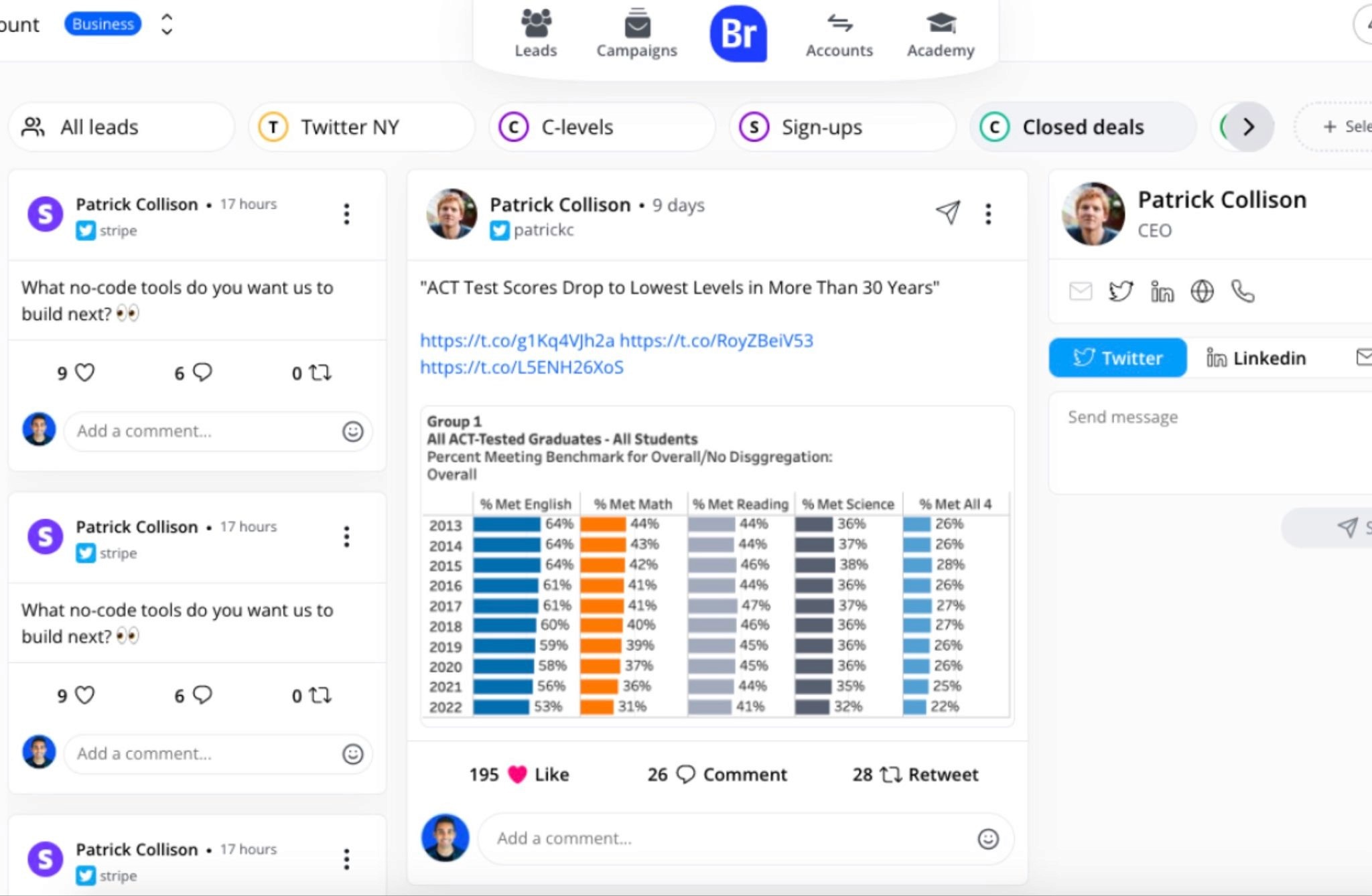
Breakcold connected natively with LinkedIn. Connect your account once and every LinkedIn DM, InMail, and reply lands automatically against the contact, in a unified inbox that also covers email, WhatsApp, and Telegram. A post-engagement stream lets you like and comment on prospects' activity without leaving the CRM.
Key features & pricing
Auto-sync of LinkedIn DMs, InMails, and replies into one inbox
Post-engagement feed for social selling plus a Chrome extension
Automatic lead movement based on LinkedIn signals
It is openly built by a founder who sells on LinkedIn, so it leans toward social-selling teams rather than inbound or enterprise-reporting use cases, and it is a younger platform than the incumbents. Pricing is simple at $59/mo for the full feature set (one seat included, extra seats around $10), which makes it a strong value for teams of five to 30.
6. Nimble
Nimble blends contact management with relationship intelligence, which makes it a natural fit for LinkedIn-heavy individuals and small teams. Its Nimble Prospector widget enriches profiles from LinkedIn, the web, and email signatures, then keeps communication and social history together in one timeline.
Key features & pricing
Nimble Prospector for one-click LinkedIn contact capture and enrichment
Unified timeline across email, social, and calendar
Lightweight email sequences and follow-up reminders
It is relationship-shaped rather than deal-shaped, so reporting is limited and it is less suited to structured, high-volume pipeline work, which means it shines for solopreneurs, consultants, and agencies who live on LinkedIn. Pricing is straightforward at about $29.90/user/mo.
7. Salesflare
Salesflare is a relationship-intelligence CRM for small and mid-size B2B teams that want LinkedIn context without manual data entry. Its LinkedIn sidebar lets you add contacts and companies and find business emails while you work, and the CRM automatically pulls contact and company details from emails, signatures, meetings, and calls into a clean timeline.
Key features & pricing
LinkedIn sidebar for adding contacts and finding emails without leaving the page
Automatic data capture from email, signatures, meetings, and calls
Visual pipelines plus email, link, and website tracking
Sequences, permissions, and custom dashboards sit behind the Pro plan, and it is less suited to enterprise territory management, so it fits founders, consultants, agencies, and lean sales teams who treat LinkedIn as part of a broader email-driven motion. Pricing runs from $29/user/mo (Growth) to $49 (Pro) and $99 (Enterprise), with a 30-day trial.
8. Copper
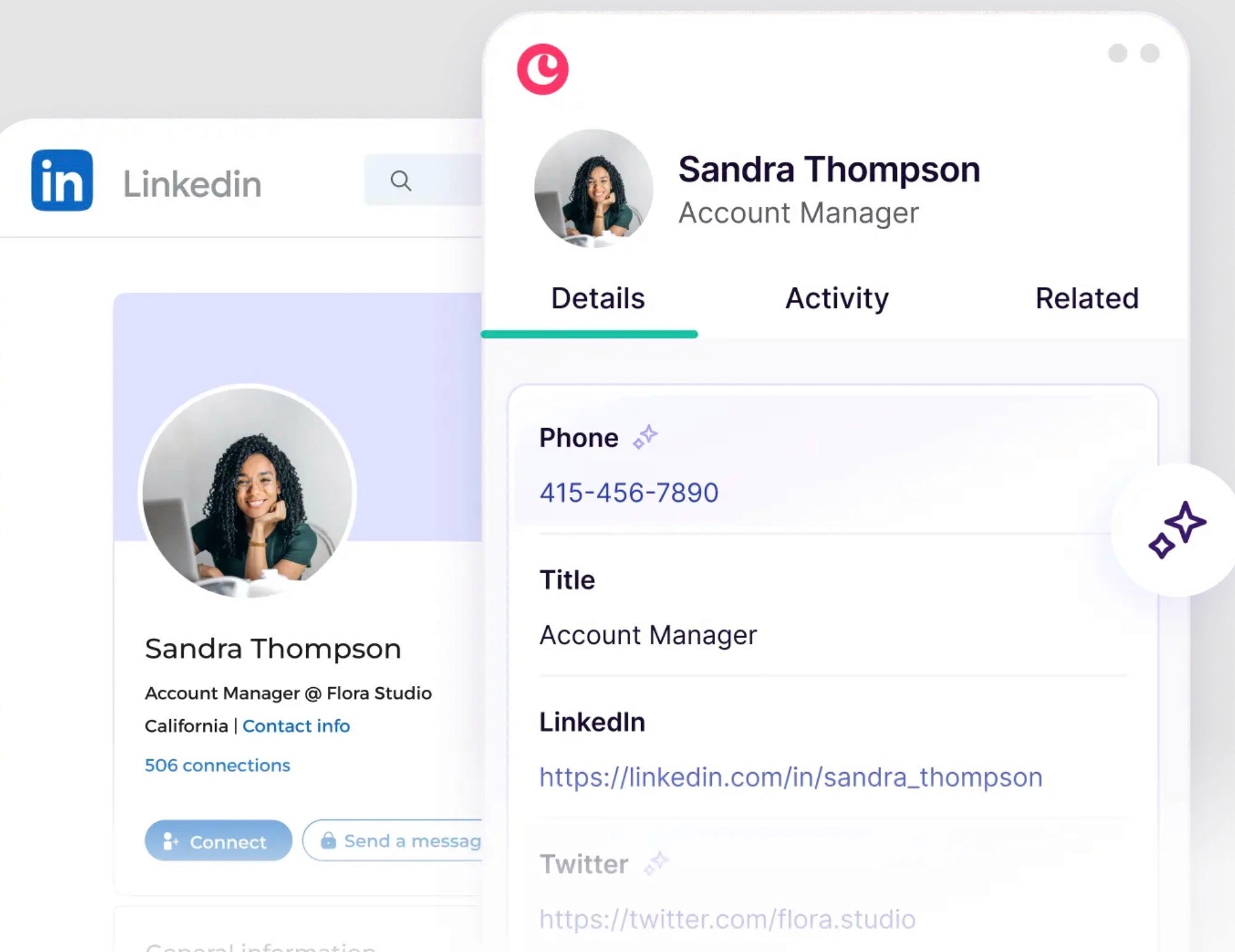
Copper is built for teams living in Google Workspace who want LinkedIn capture inside their Gmail-native workflow. Its Chrome extension pulls LinkedIn contacts into the CRM, while Copper auto-logs emails, calendar events, and Drive activity so records stay current without much manual upkeep.
Key features & pricing
One-click LinkedIn contact capture via the Chrome extension
Deep Gmail, Calendar, and Drive integration
Pipeline automation and reporting in mid-tier plans
There is no Sales Navigator panel and workflows or reporting require higher tiers, so it is strongest for Google-first, relationship-driven teams rather than heavy outbound shops. Pricing starts at $9/seat/mo and scales to $23 (Basic), $59 (Professional), and $99 (Business).
9. Apollo.io
Apollo combines a large B2B database, multichannel outreach, and CRM features in one tool, which makes it a favorite for SDR teams running outbound on LinkedIn. Its Chrome extension scrapes and enriches LinkedIn profiles instantly, and the built-in dialer, email engine, and sequence builder let reps engage across channels without leaving Apollo.
Key features & pricing
LinkedIn profile scraping and enrichment via the Chrome extension
Built-in dialer, email, and sequence builder on top of a B2B database
Engagement tracking (opens, replies, clicks) with AI lead scoring
Deliverability needs setup tuning, data quality can vary, and forecasting and reporting are basic, so it suits high-volume SDR teams scaling outbound from scratch more than report-heavy orgs. There is a free plan, with paid tiers from $49/user/mo (Basic) to $79 (Professional) and $119 (Organization).
Choose Rings AI if Your Pipeline Runs on Relationships
Rings AI fits teams whose best opportunities come through people they already know, which describes most investors, business development teams, and dealmakers working on LinkedIn. Rather than syncing Sales Navigator into a sales pipeline, Rings brings your team's own relationship history onto LinkedIn through its Chrome extension, so the context is there while you research a profile instead of buried in someone's inbox.
Because Rings builds that history automatically from email and meeting activity and scores every relationship, the LinkedIn view sits on top of data the CRM already holds rather than a blank record you have to fill in. The part that sets it apart for network-led sourcing is Pathpower, which maps your team's connections across a target company and includes the investors, board members, and advisors around it, not only the employees.
Book a demo with Rings AI to see your team's warm paths to a company surface on the LinkedIn profiles you are already looking at.