
Imagine you have 4,000 contacts in your CRM. Your job is to find the next great investment opportunity or the next LP for your fund. You run a search, pull a list, and start reaching out. Half the records are missing email addresses. A third have job titles from two companies ago.
It is not that you lack data. You have thousands of rows of it. The problem is that the data you have cannot actually tell you anything useful. A contact without a current email is just a name. A company record without a website or a round history is just a placeholder. That is the real data quality problem in 2026.
In a business where relationships are everything and the difference between a warm intro and a cold outreach can change the outcome entirely, your CRM data needs to be something you can actually rely on.
Why CRM Data Goes Bad
It rarely happens all at once. Data quality degrades gradually, and usually for reasons that have nothing to do with carelessness.
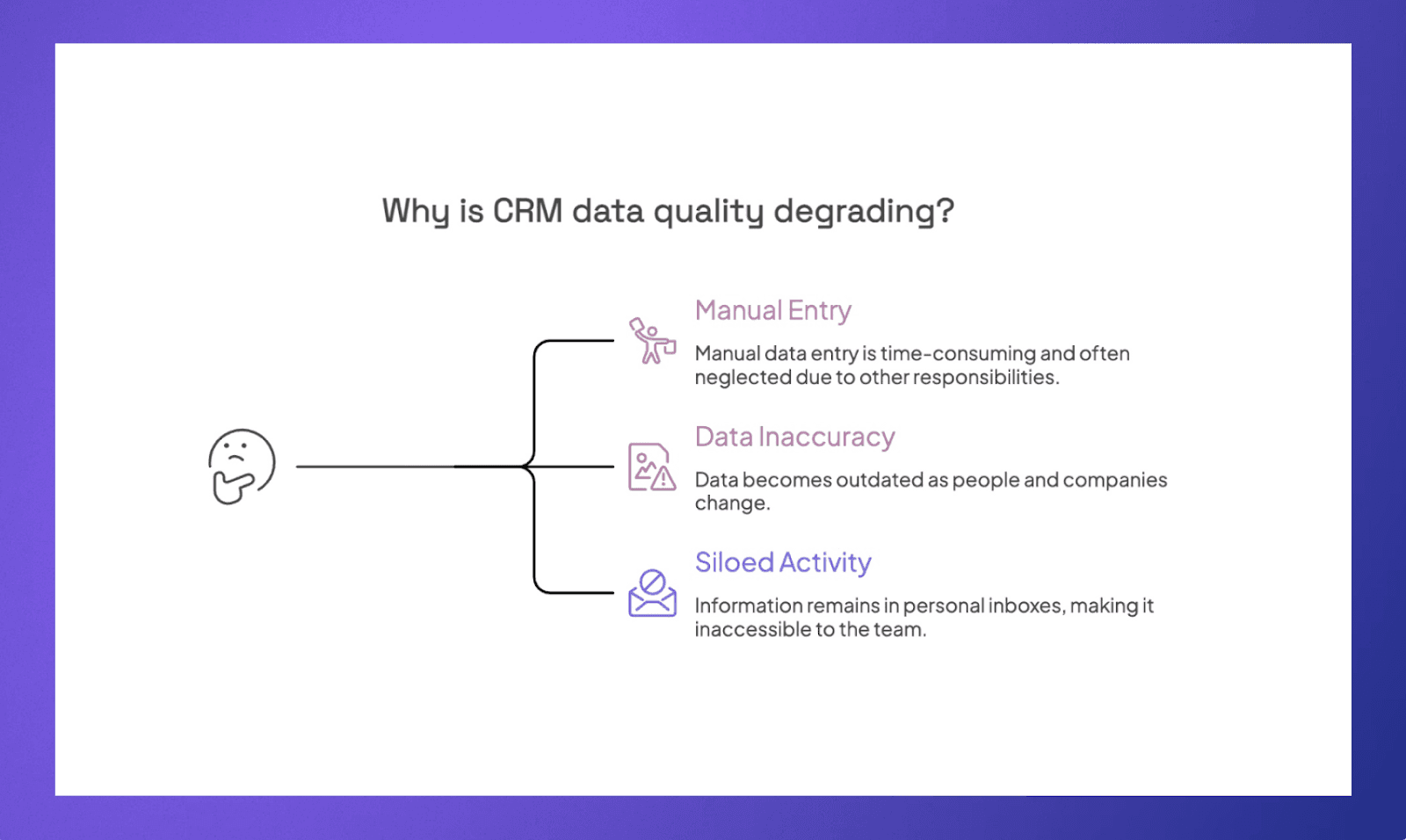
Manual entry is the main culprit
Most CRMs were built on the assumption that someone would log every interaction, update every contact, and keep every field current by hand. When a partner is simultaneously running a deal, managing LP relationships, and sourcing new opportunities, manual data entry is the first thing that gets dropped. Not because people do not care. Because the system asks too much.
Accurate data does not stay accurate on its own
People change jobs. Companies raise new rounds, pivot, or shut down. An email that worked fine last year bounces today. Without continuous syncing from live data sources, your CRM is essentially a photograph of reality taken at some point in the past.
Siloed activity might be the most damaging problem of all
When emails, meeting notes, and relationship context live in someone's personal inbox rather than a shared system, that history is effectively invisible to the rest of the team. The relationship existed. The context existed. It just never made it into the place where decisions get made.
The result tends to look like this:
Contacts with no email, no title, or a role they left two years ago
Deal notes that reference decisions but not the reasoning behind them
Warm relationships are being treated as cold outreach because nobody knows the history
AI tools are producing generic, unhelpful output because the data underneath them is incomplete
None of this is solved by telling people to be careful when adding data to the CRM. These are structural problems, and they need structural fixes.
How to Fix Bad Data in Your CRM
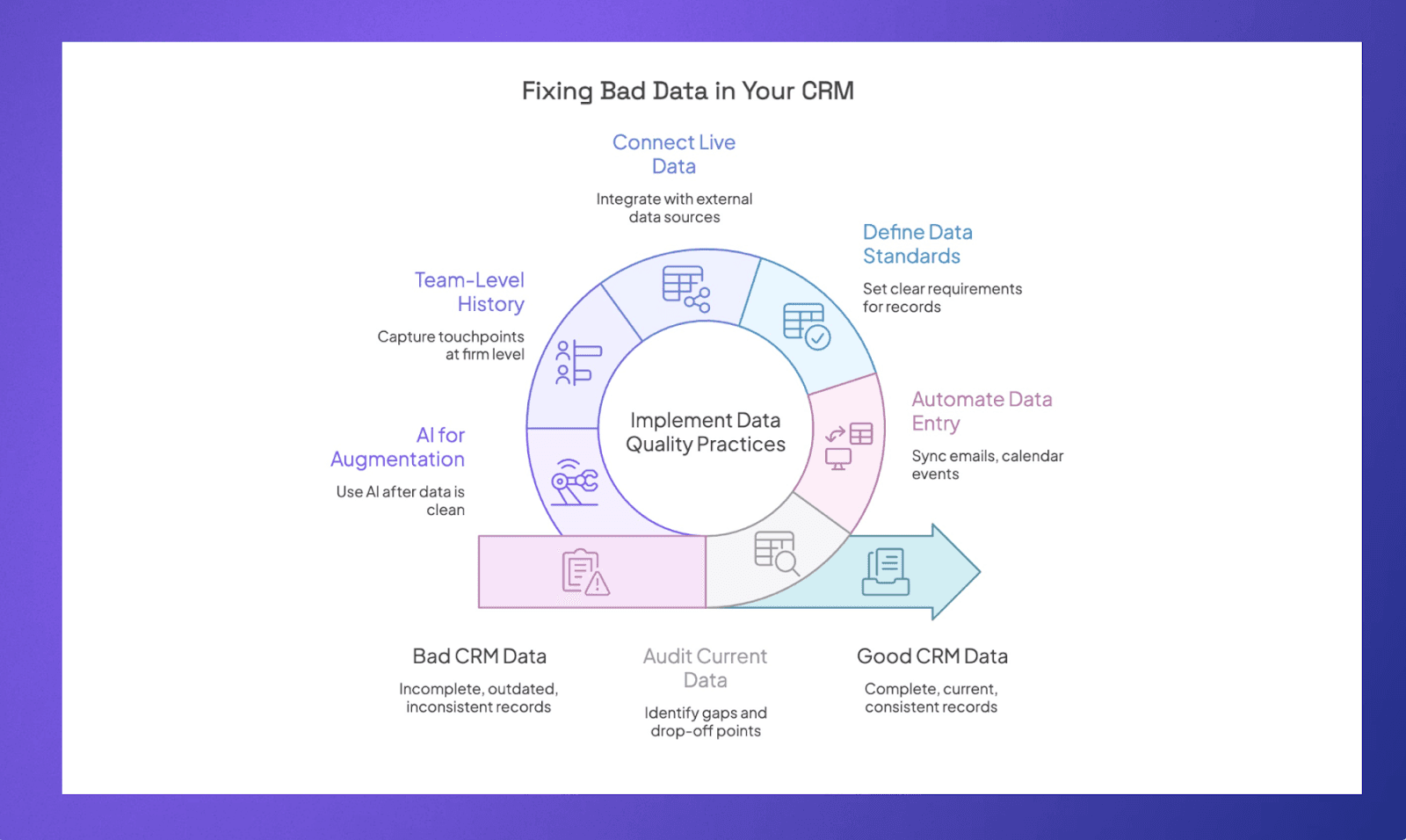
Bad data does not get fixed by doing a one-time cleanup and hoping for the best. It gets fixed by changing how data enters your system, how it stays current, and what your team actually has to do to maintain it. Here are the most effective ways to get there.
Start With an Audit of What You Actually Have
Before you fix anything, you need to know what you are dealing with. Pull a full export of your contacts and companies and look for the obvious gaps first. Missing emails, outdated job titles, records with no activity in over a year, and notes that reference conversations but have no date or follow-up attached.
You are not trying to fix everything in one sitting. You are trying to understand where the worst drop-off points are so you know where to focus.
Stop Relying on Manual Entry
This is the root cause for most teams. When your CRM depends on people to log every email, update every contact, and write up every meeting, the data will always be incomplete. People are busy, and manual entry is always the first thing to go.
The fix is to find a system that captures activity automatically. Emails and calendar events should sync on their own. Contact records should update without anyone touching them. The less your CRM relies on human input to stay current, the more you can actually trust what is in it.
Set a Clear Standard for What a Complete Record Looks Like
Most teams have never actually defined what good data looks like for them. So different people fill in different fields, use different formats, and the whole thing becomes inconsistent over time.
Decide as a team what a complete contact record requires. For most investment firms that tends to include:
Current email and firm
How the relationship started and who owns it
Last interaction date and a short note on where things stand
Any relevant deal or fundraising context
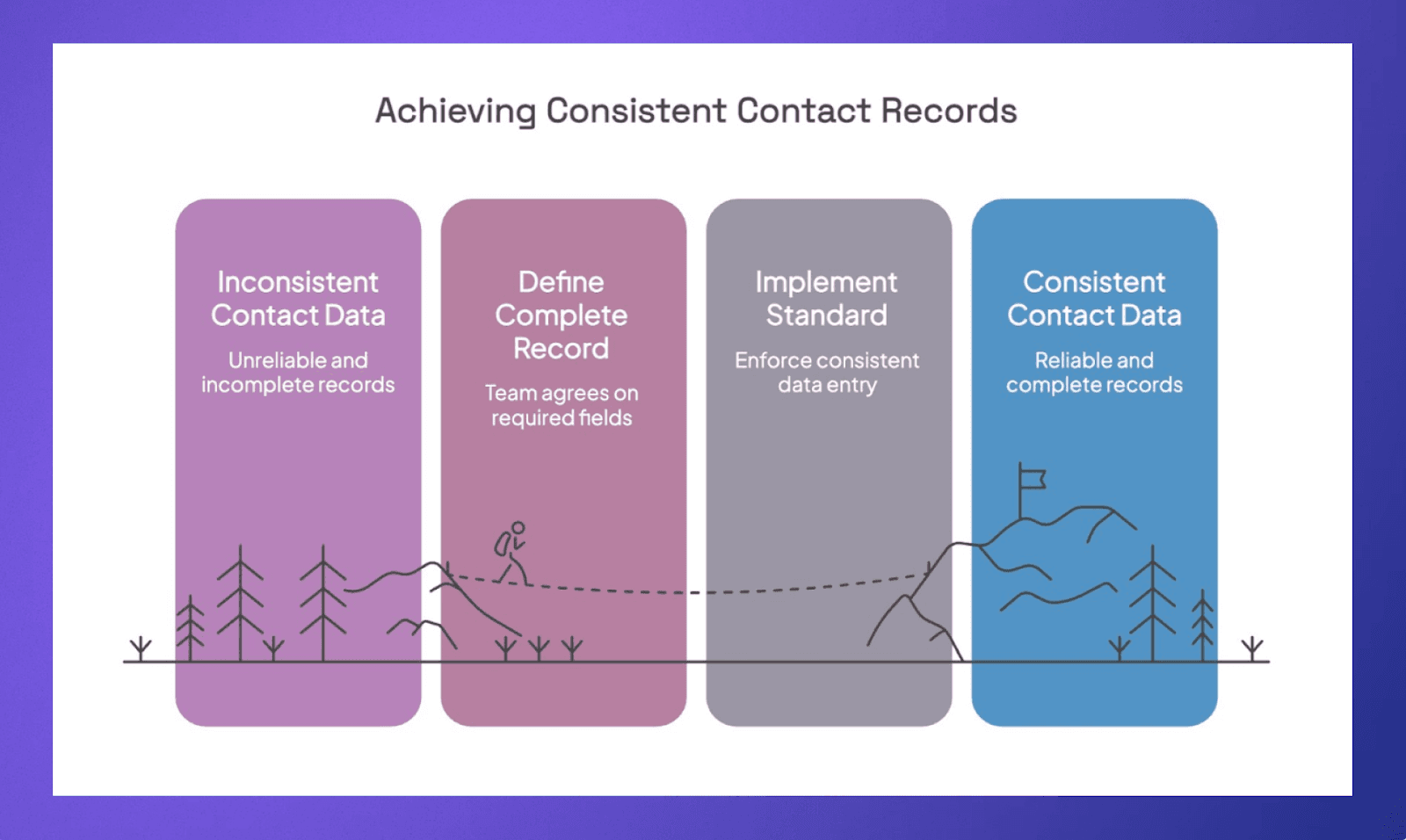
Once that standard exists, it becomes much easier to spot what is missing and much easier to onboard new team members in a consistent way of working.
Connect Your CRM to Live Data Sources
Even if your team is diligent, contact data goes stale on its own. People change jobs, companies raise new rounds, and email addresses expire. If your CRM is not pulling from external data sources on a regular basis, you are always going to be working off outdated information.
Look for a CRM that integrates with the company and investor databases and updates records automatically. The goal is that your system reflects what is true today, not what was true when the contact was first added.
Make Relationship History a Team Asset, Not a Personal One
This one is less about data fields and more about how your team works. In a lot of firms, the richest relationship context lives in one person's inbox. They know the history, they remember the conversations, they know what was said and what was not. But none of that is visible to anyone else.
When that person is out or leaves, that context disappears.
The fix is making sure that emails, meeting notes, and relationship history are captured at the firm level, not the individual level. Every touchpoint should be visible to the team, not just the person who had it. This is what turns a CRM from a personal rolodex into something the whole firm can actually use.
Use AI to Fill the Gaps, Not Paper Over Them
A lot of teams are now using AI features inside their CRM, hoping it will fix their data problems. It will not. AI does not create good data out of bad data. What it can do is help you work faster once your data is in reasonable shape.
When your notes, emails, and contact records are reasonably complete and current, AI can do genuinely useful things:
Summarize your full history with a person before a call
Flag relationships that have gone cold and might need attention
Pull together meeting prep from emails, notes, and recent news in minutes rather than half an hour
Answer specific questions about your notes or deal history without you having to dig through everything manually
The firms getting real value from AI in their CRM are the ones that treated data quality as the first step, not an afterthought.
Choose Rings AI to Always Have Up-to-Date Data in Your CRM
The firms that have clean, reliable CRM data are not necessarily more disciplined. They are using a system that does not depend on discipline to stay current. Their relationship history builds automatically as emails and meetings happen. Their contact records update without anyone touching them. When they open a record before a call, what they see is actually accurate.
That is what Rings AI is built to do. Here is how it helps hundreds of businesses:
Automatic activity capture syncs your emails, meetings, and calendar across the entire team, so relationship history is always up to date without anyone logging a thing
Relationship strength scoring analyzes every team member's emails and LinkedIn to show you exactly how well connected your firm is to any person in your network
AI-powered meeting prep pulls from recent emails, notes, call history, and live web data to get you genuinely ready for every conversation
100M+ data points from Crunchbase and dozens of partners, updated daily and matched automatically against your private relationship data
Rich notes and file management that your whole team can search, and that Rings' AI Copilot can answer questions about instantly
One platform for deals, fundraising, sourcing, and relationships, so context is never scattered across tools
Book a demo to see how Rings AI keeps your data clean, your team aligned, and your relationships working for you.