
When you open any CRM that’s been in use for more than a year, you’ll usually see the same pattern. Contacts who no longer work at the company. Deals with missing notes. Fields that were added with good intentions and never filled in again. Everyone knows the data isn’t perfect, but it’s still used because it’s the system of record.
It's not a CRM problem. It's a data hygiene problem.
In this guide, we’ll break down what CRM data hygiene actually means, why it matters more than most teams realize, and how to clean, maintain, and improve data quality without turning it into a constant manual chore.
What Is CRM Data Hygiene
CRM data hygiene is about keeping your CRM usable over time, not just filling it up.
As teams grow, data enters the system from many places. Forms, imports, integrations, manual updates, and syncing from email or calendars all add information. Without regular care, this data starts to drift. Records become incomplete. Duplicates appear. Important context lives outside your CRM.
Good data hygiene means making sure the information in your CRM stays:
Accurate (records reflect reality)
Complete (key fields are filled when they matter)
Consistent (teams interpret and use data the same way)
Current (changes in roles, companies, and status are captured)
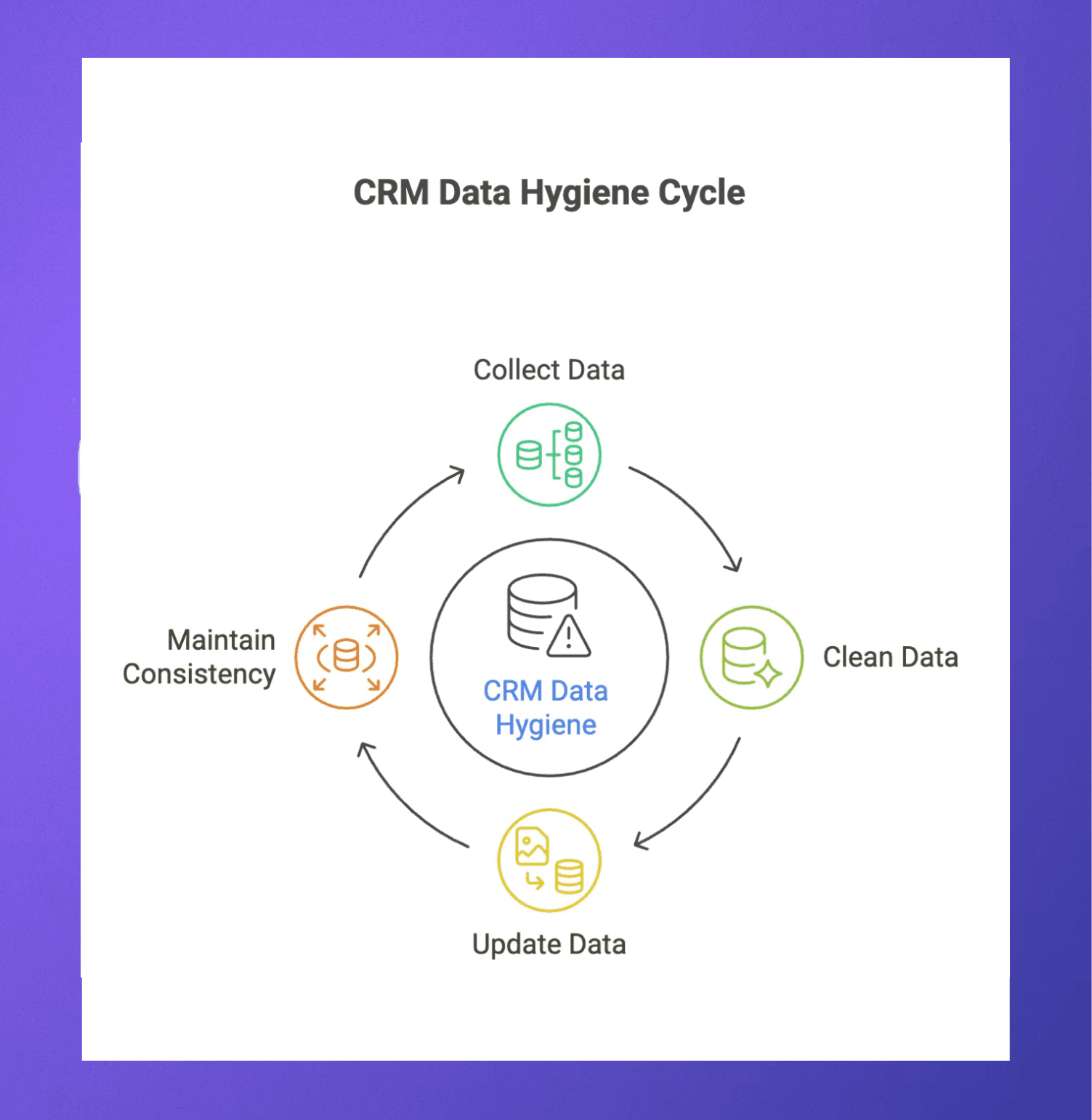
This is not a one-time cleanup. It is an ongoing habit built into how the CRM is used day to day. Some of it is manual, like updating notes after a call. Some of it is structural, like clear rules on required fields or ownership. Some of it comes from automation that reduces how much people need to remember.
5 Practical Tips to Maintain CRM Data Hygiene
Good CRM data hygiene comes from a few consistent habits, not large clean-up projects done once a year. These tips focus on actions teams can realistically maintain as the CRM grows and more people use it.
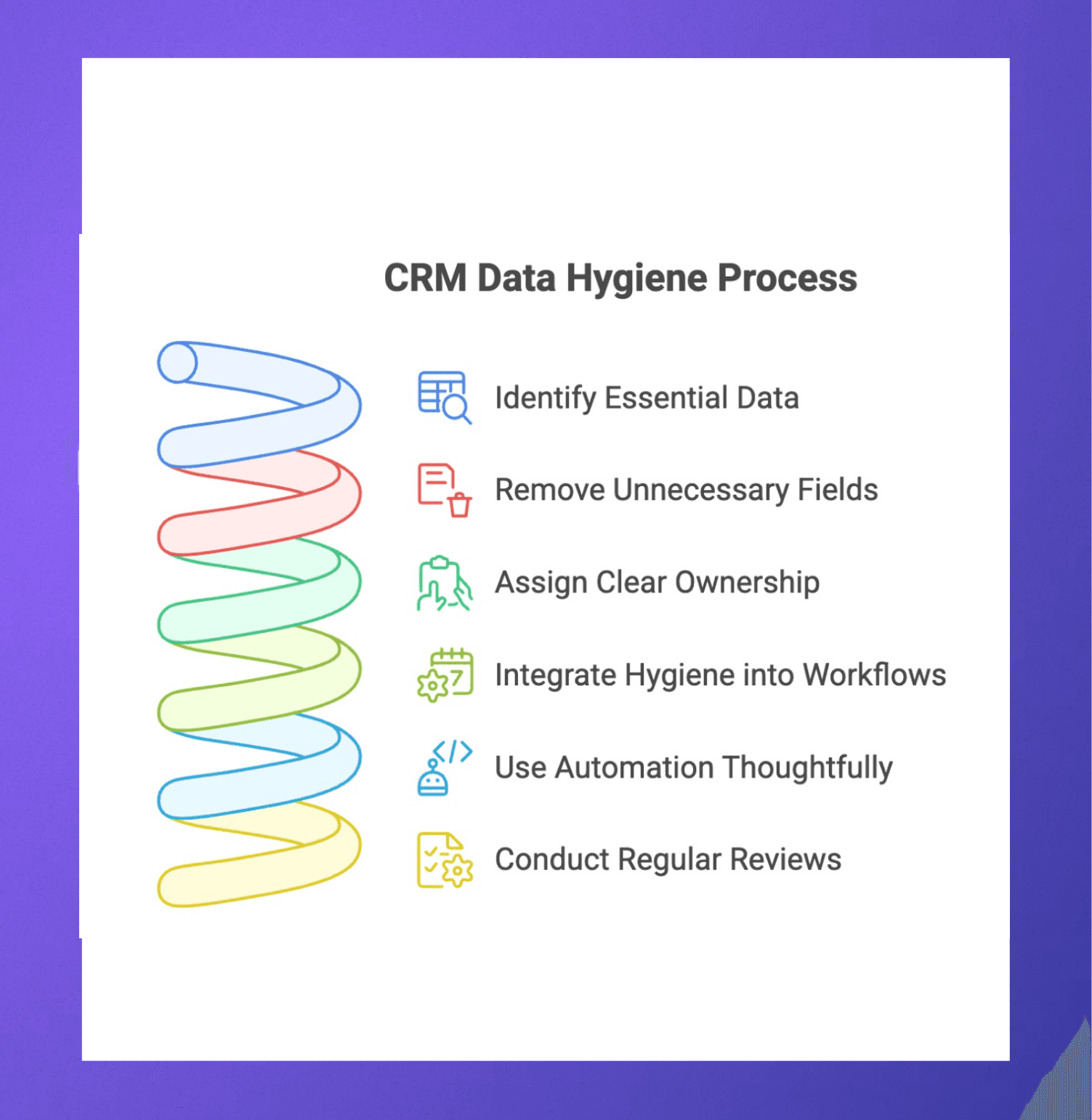
1. Decide what data actually matters and remove the rest
Many CRMs become messy because they try to track everything. Fields get added for edge cases, one-off experiments, or past workflows that no longer exist. Over time, this creates clutter and confusion.
Start by identifying the fields that are essential for your current sales, marketing, or partnership workflows. These are the fields that drive follow-ups, reporting, and decisions. Everything else should be reviewed carefully. If a field is rarely filled, inconsistently used, or not referenced in reports, it may not belong in the system anymore.
Reducing unnecessary fields makes it easier for teams to enter accurate data. It also improves consistency, since people are less likely to skip or misuse fields when expectations are clear. A smaller, more focused data model almost always leads to better data quality.
2. Set clear ownership for records and updates
Data quality breaks down quickly when no one knows who is responsible for keeping records updated. Contacts, accounts, and deals should always have clear ownership.
Ownership does not mean one person does all the work. It means there is a clear default owner who ensures updates happen and gaps are addressed. Without this, records get passed around, partially updated, or ignored entirely.
Clear ownership helps with:
Keeping contact details current
Updating deal stages and notes
Ensuring handoffs between teams are documented
When ownership rules are simple and visible, accountability improves, and data stays fresher with far less effort.
3. Build hygiene into daily workflows, not cleanup days
Relying on scheduled cleanup days often leads to rushed updates and missed context. By the time someone reviews a record weeks later, details from calls or emails are already forgotten.
Instead, data hygiene should happen as part of everyday work. Notes are added after meetings. Deal stages are updated right after changes. Contact roles are corrected when emails bounce or job changes are noticed.
This approach keeps information accurate when it matters most. It also reduces the need for large cleanups later. Small, frequent updates are easier to maintain and far more reliable than periodic audits.
4. Use automation carefully to reduce manual errors
Automation can greatly improve data hygiene, but only when it is applied thoughtfully. Automatically syncing emails, meetings, and contact updates reduces the burden on teams and prevents missed context.
However, too much automation can create noise. Duplicate records, incorrect associations, or irrelevant data can enter the CRM if rules are unclear.
Focus automation on:
Capturing activity and context
Updating known fields like job changes or company details
Flagging duplicates or missing data
Automation should support accuracy, not overwhelm the system. Regularly reviewing automated inputs helps ensure they are still adding value.
5. Review and clean data on a regular cadence
Even with good habits, data naturally degrades over time. People change roles. Companies evolve. Deals stall or restart.
Set a regular cadence to review CRM data. This does not need to be frequent or heavy. Monthly or quarterly reviews are often enough to catch issues early.
During reviews, teams can:
Close out inactive deals
Merge or remove duplicates
Update outdated contact information
Revisit fields that are no longer useful
Consistent reviews prevent small issues from turning into long-term problems and keep the CRM reliable as a source of truth.
Common CRM Data Hygiene Mistakes to Avoid
Even when teams invest time in their CRM, data quality often slips for reasons that are less obvious than “not updating records.”
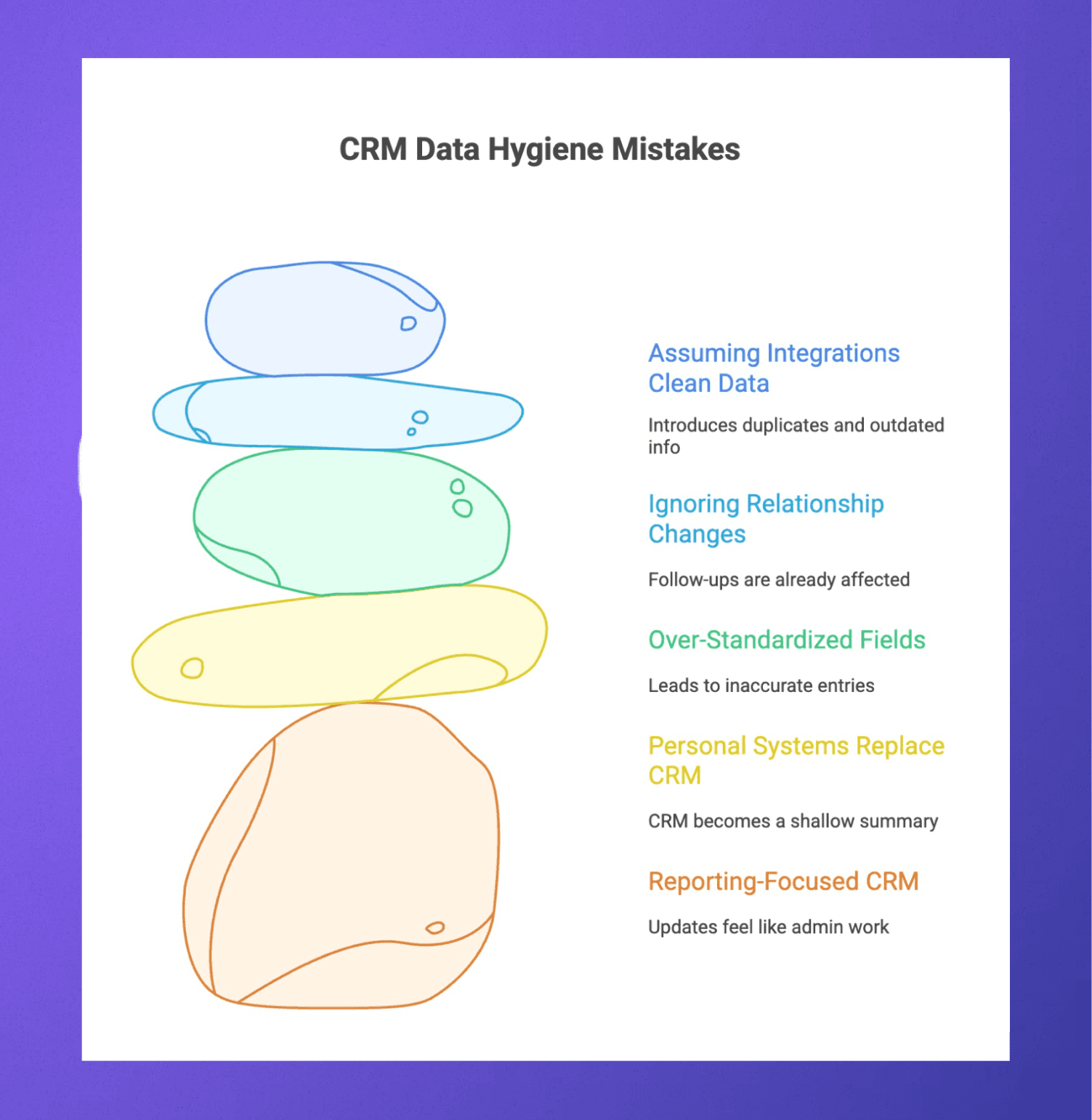
These mistakes usually come from how the CRM is used, not from a lack of effort.
Assuming integrations automatically mean clean data: Integrations add volume, not quality. Without clear rules, synced tools can introduce duplicates, incorrect associations, or outdated information at scale. Integrations need oversight to stay helpful.
Ignoring relationship changes until something breaks: Job changes, company shifts, and internal reorganizations happen constantly. Many teams only update records after an email bounces or a deal stalls. By then, follow-ups are already affected, and trust in the data has slipped.
Over-standardizing fields that need nuance: Not all information fits neatly into dropdowns. Forcing complex relationships or deal contexts into rigid fields often leads to inaccurate entries. Some data is better captured as notes, timelines, or activity history rather than forced classifications.
Allowing personal systems to replace shared context: Notes live in inboxes, spreadsheets, or personal docs because they feel faster. Over time, the CRM becomes a shallow summary instead of a source of truth. This creates gaps during handoffs and makes it hard for anyone else to pick up a relationship or deal with confidence.
Using the CRM mainly for reporting, not for daily work: When the CRM exists only to generate reports for leadership, updates feel like admin work. Teams delay entries or add the bare minimum. Data quality improves when the CRM is genuinely useful in day-to-day workflows, not just at the end of the quarter.
Avoiding these mistakes keeps CRM data aligned with real work and makes long-term data hygiene much easier to maintain.
Learn more about deal flow management, XRM vs CRM, what is a CRM or CRM for venture capital firms.
Keeping Your CRM Clean is Easier With Rings AI
Data hygiene often breaks down when updating the CRM feels separate from real work. Context lives in inboxes and calendars, records fall behind, and teams stop trusting what they see.
Rings AI is built to reduce that gap. It automatically captures relationship context from email, calendar, and LinkedIn activity, so records stay current without constant manual updates. Instead of relying on reminders, teams get a clearer, more accurate picture of contacts and companies as work happens.
This helps improve CRM data quality by:
Highlighting stale or incomplete records
Reducing duplicate and manual data entry
Surfacing engagement and relationship strength
Keeping contact and company records up to date
Because data stays closer to reality, teams spend less time cleaning and more time acting on reliable information. Over time, the CRM becomes a system people trust and actually use.
Explore Rings.ai and see how it supports better data hygiene with less effort.
Rings AI is a relationship intelligence CRM designed for teams that manage complex, long-term relationships. Book a demo to see how Rings AI can work for your team.