
People use "data" and "information" as if they mean the same thing. In everyday conversation, that's fine. But when you're running a business, managing relationships, or making decisions under pressure, the difference actually matters. Learn more about deal flow management. Learn more about XRM vs CRM.
One fills up your systems. The other helps you act. This blog breaks down what separates the two, how to make sure you know when to use data vs. when to use information, and how it plays out in practice, especially for teams that rely on context to do their jobs well.
What Is Data?
Data is simply a collection of facts, figures, symbols, or signals that exist on their own.
Think of data as the building blocks. A phone number in a spreadsheet. A timestamp on a calendar invite. The number 42. A name in a contact list. None of these things tells you anything meaningful by itself. They just exist.
Data can be quantitative, such as numbers, percentages, and dates. Or it can be qualitative, such as words, observations, or descriptions. Either way, in its raw form, data doesn't answer questions.
For example, say you have a spreadsheet with 500 rows of meeting timestamps. That's data. It tells you meetings happened. But it doesn't tell you which ones mattered, who was involved, or what was discussed.
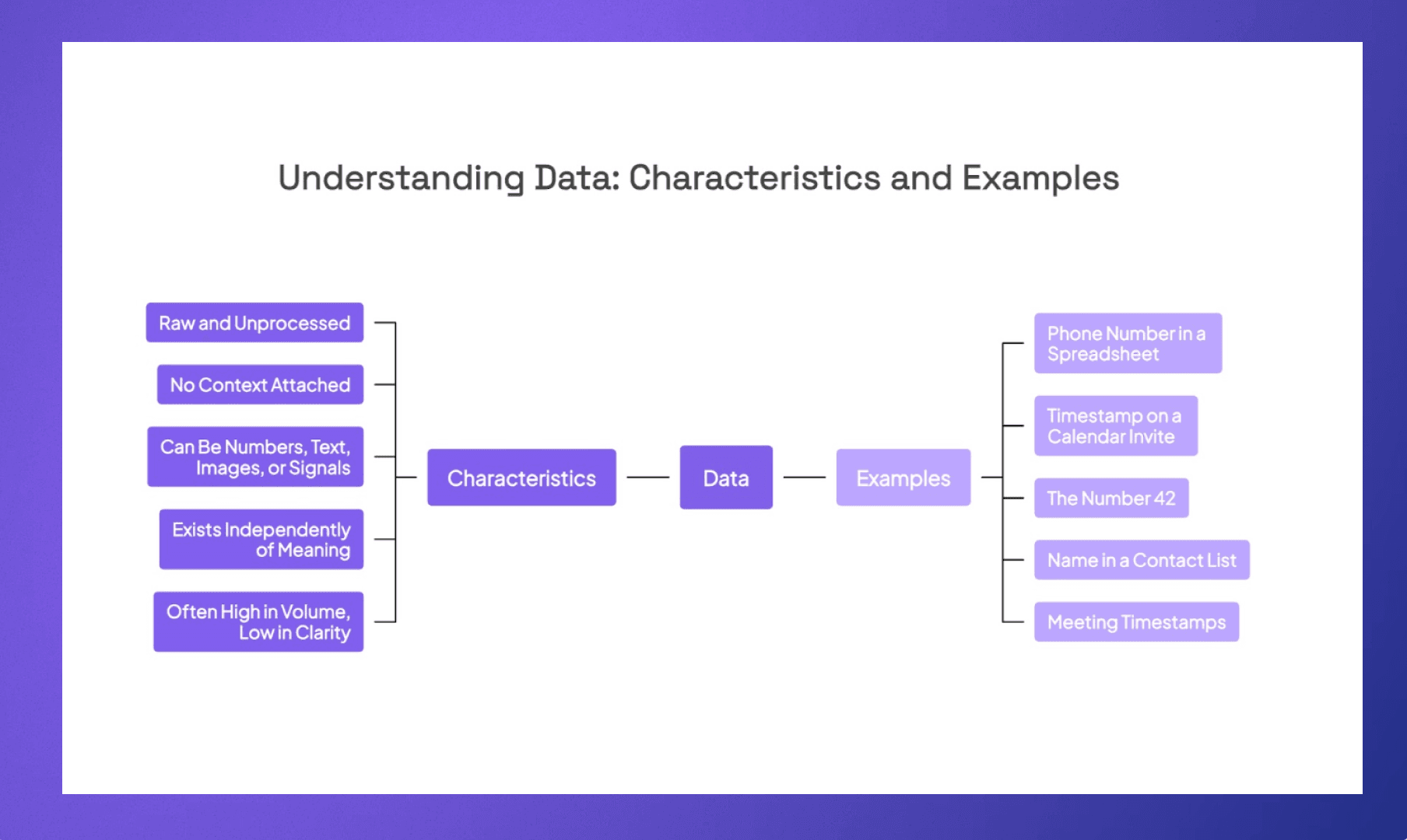
Quick Characteristics of Data
Raw and unprocessed
No context attached
Can be numbers, text, images, or signals
Exists independently of meaning
Often high in volume, low in clarity
No one is struggling to collect data anymore. If anything, there's too much of it. Your CRM might have thousands of contacts, and your inbox might be overflowing, and somewhere in a shared drive, there are notes from a call six months ago that nobody can find.
The real challenge is not getting more data into your systems. It's pulling something useful out of them.
What is Information?
Information is what happens when data gets organized, structured, and placed in context. It is data that has been interpreted to mean something.
Going back to the meeting timestamps example, if you take those 500 rows and organize them by contact, layer in the meeting topics, and highlight which contacts you haven't spoken to in 90 days, that's information.
Information answers questions.
Who have I been meeting with the most? Which relationships are going cold? What did we last talk about with this investor? These are the kinds of answers that raw data alone can never give you.
Or if you look at a real-life example, a GPS coordinate like 40.7128° N, 74.0060° W is data. "That's the location of downtown Manhattan" is information.
Quick Characteristics of Information
Processed and organized
Carries context and meaning
Helps with decision-making
Often derived from multiple data points
Reduces uncertainty
The thing that separates data from information is almost always context.
A name in your CRM is data. But knowing that you emailed that person three weeks ago about a Series B, that your colleague grabbed coffee with them last month, and that their fund just announced a new close, that's a completely different thing. That's information you can actually walk into a room with.
This matters even more in relationship-driven industries. Investors, dealmakers, and advisors are not just keeping track of names. They need the full picture of a relationship, what's been said, what's been shared, what the history looks like across the entire team. Without that context, you can have a CRM full of perfect data and still feel like you're flying blind.
Data vs. Information at a Glance
Here's a quick table to help you see how the two compare.
Data | Information | |
What it is | Raw facts, numbers, signals | Data that's been processed and given meaning |
Context | None | Built in |
Example | 500 meeting timestamps | Which 10 contacts you haven't met in 90 days |
Usefulness | Needs work before it helps you | Ready to act on |
Volume | Usually high | Usually distilled |
Who benefits | Nobody, until it's processed | The person making the decision |
The simplest way to think about it: if you can't do anything with it yet, it's data. If it tells you something you didn't know or helps you decide what to do next, it's information.
Signs Your Team Is Stuck at the Data Level
A few things tend to happen when a team has plenty of data but not enough information.
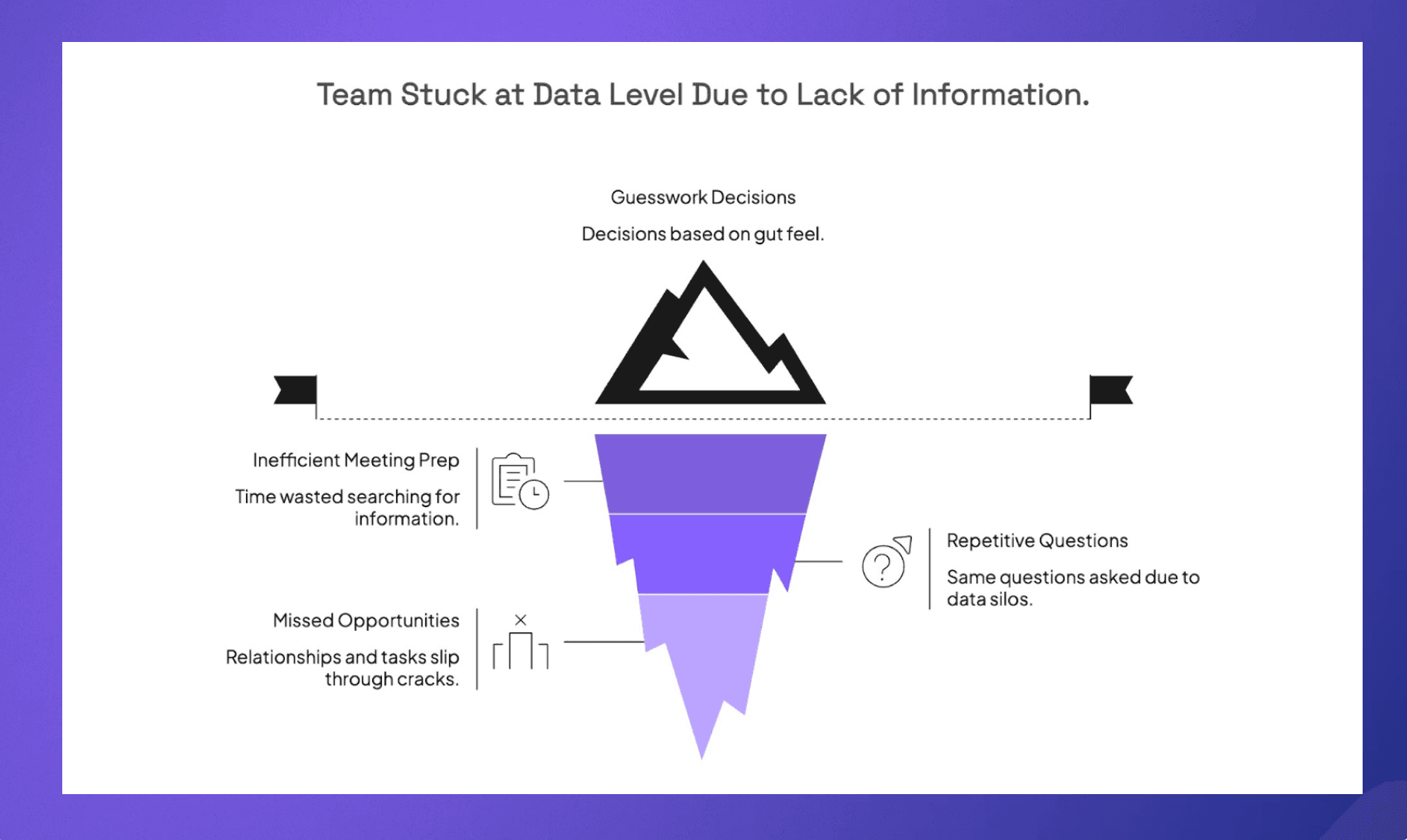
Meeting prep takes forever. People spend 15 to 20 minutes before every call digging through emails, notes, and Slack messages trying to piece together what was last discussed. Sometimes they find what they need. Often they don't.
The same questions keep coming up. "Have we talked to this person before?" "Who on our team knows them?" "Is someone tracking the deal?" If your team is asking these questions regularly, the data exists somewhere, but it's not surfaced in a way that's actually useful.
Relationships, or tasks, slip through the cracks. A warm intro goes cold because nobody realized it had been two months since the last touchpoint. A key contact switches firms and no one notices until it's too late. These aren't data problems. The data was there. It just never became information that anyone could act on.
Decisions feel like guesswork. When teams don't have clear information in front of them, they default to gut feel. That works sometimes, but it's not a system. And it definitely doesn't scale.
How Data Becomes Information
Data doesn't become information on its own. Something has to happen to it. Someone has to organize it, combine it with other data points, or put it in context for it to actually mean something. The process isn't complicated, but it does require intention.
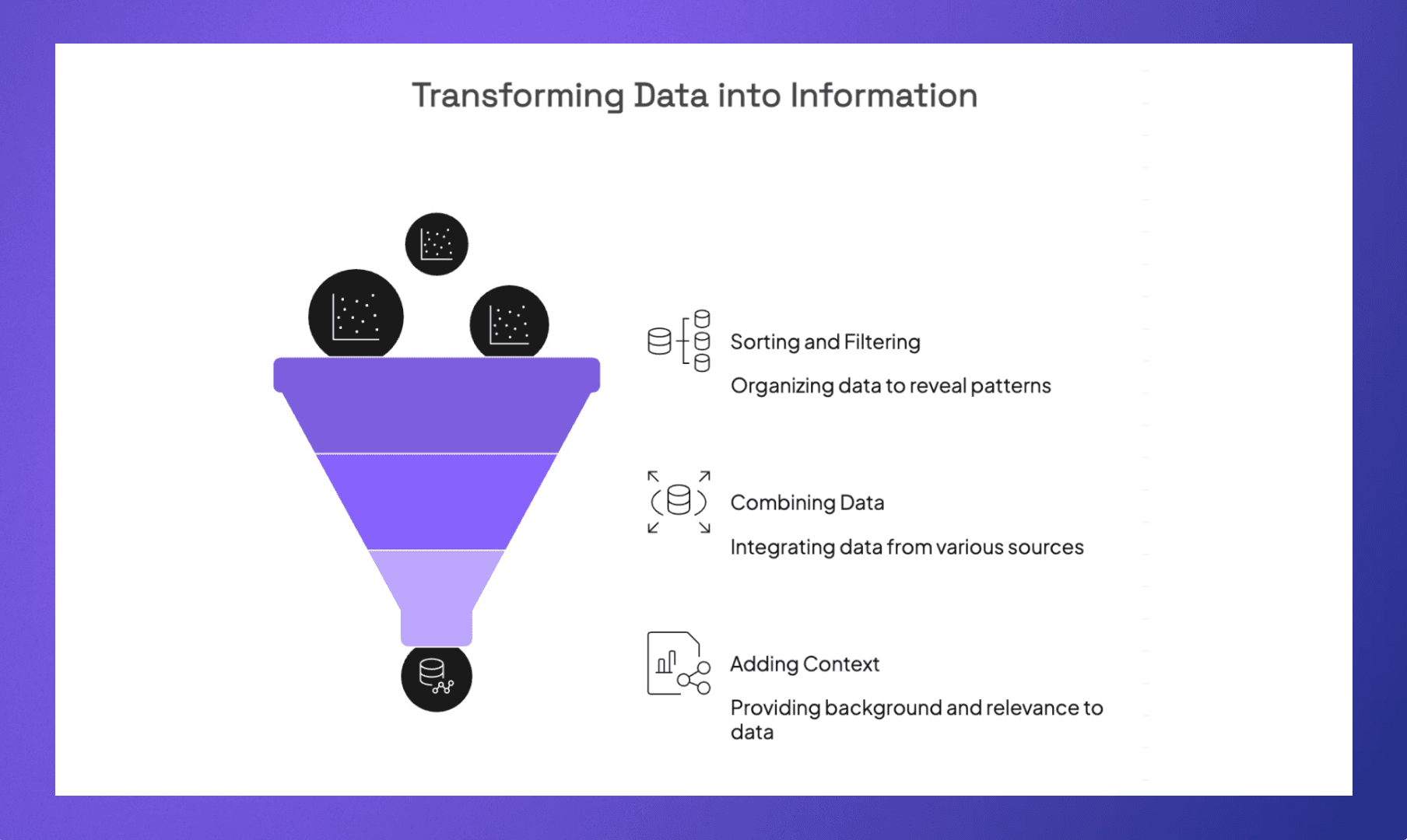
Sorting and Filtering
This is the most basic step. You take a messy dataset and organize it so patterns become visible. For example, a list of 3,000 contacts sorted by last interaction date suddenly shows you who you haven't spoken to in months.
Most teams have the data they need already sitting in their systems. The problem is that it's unstructured, unsorted, and buried under everything else. Just the act of filtering and organizing what you already have can surface insights that would have otherwise gone completely unnoticed.
Combining Data From Different Sources
This is where things get more interesting. A contact name in your CRM is just data. But pull in a few other pieces and the picture changes fast:
The last five emails you exchanged with them
Notes your colleague took after a lunch meeting
A news alert about their company raising a new fund
Adding Context
If someone tells you a startup raised $20M, that's data. But if you also know their last round was $4M just eight months ago and they're in a space your fund is actively looking at, that same number means something very different. Context is what gives data its weight.
The tricky part is that context usually lives in different places. Some of it is in your inbox, some in a colleague's notes, some in the news. The teams that are good at this aren't necessarily smarter. They've just found ways to bring those pieces together faster so the full picture is available when they need it, not after the fact.
How Rings AI Turns Data Into Information That Works
Most B2B CRMs are full of data such as contact names, email logs, meeting timestamps, deal stages. But having data sitting in your system is not the same as having information you can act on.
Rings AI was built with this distinction in mind. Instead of leaving you to piece together context from scattered data points, Rings brings everything into one place (emails, meetings, notes, files, market data) and turns it into meaningful information.
Need to know where a relationship stands before a call? Rings' AI pulls from your recent emails, notes, and web research to give you a meeting prep document that actually tells you something. Want to understand how well your team knows a specific contact? Rings maps your collective network with depth scores across email and LinkedIn.
It is the reason teams on Rings spend less time searching for answers and more time putting them to use.
Book a demo and see how Rings can turn your team's data into real, usable information.
Learn more about deal flow management or XRM vs CRM.