
The idea of automations in a CRM is appealing. It promises that you just need to set up a few workflows and let the system handle data entry and follow-ups. It frees your team to focus on higher-value work.
But most teams that go heavy on automation end up with at least a few regrets. Emails that shouldn't have been sent. Records that got created or updated incorrectly. Workflows that made sense once but now run unchecked in the background.
The best approach to CRM automation is selective. Automate what's genuinely repetitive and low-risk. Leave room for human judgment where it matters. And build in checkpoints so the system doesn't drift. This guide breaks down where CRM automation adds real value, and how to approach it without creating more problems than you solve.
What CRM Automation Actually Does
CRM automation refers to any feature that handles repetitive tasks without manual input. The scope varies depending on the platform, but most automation falls into a few categories:
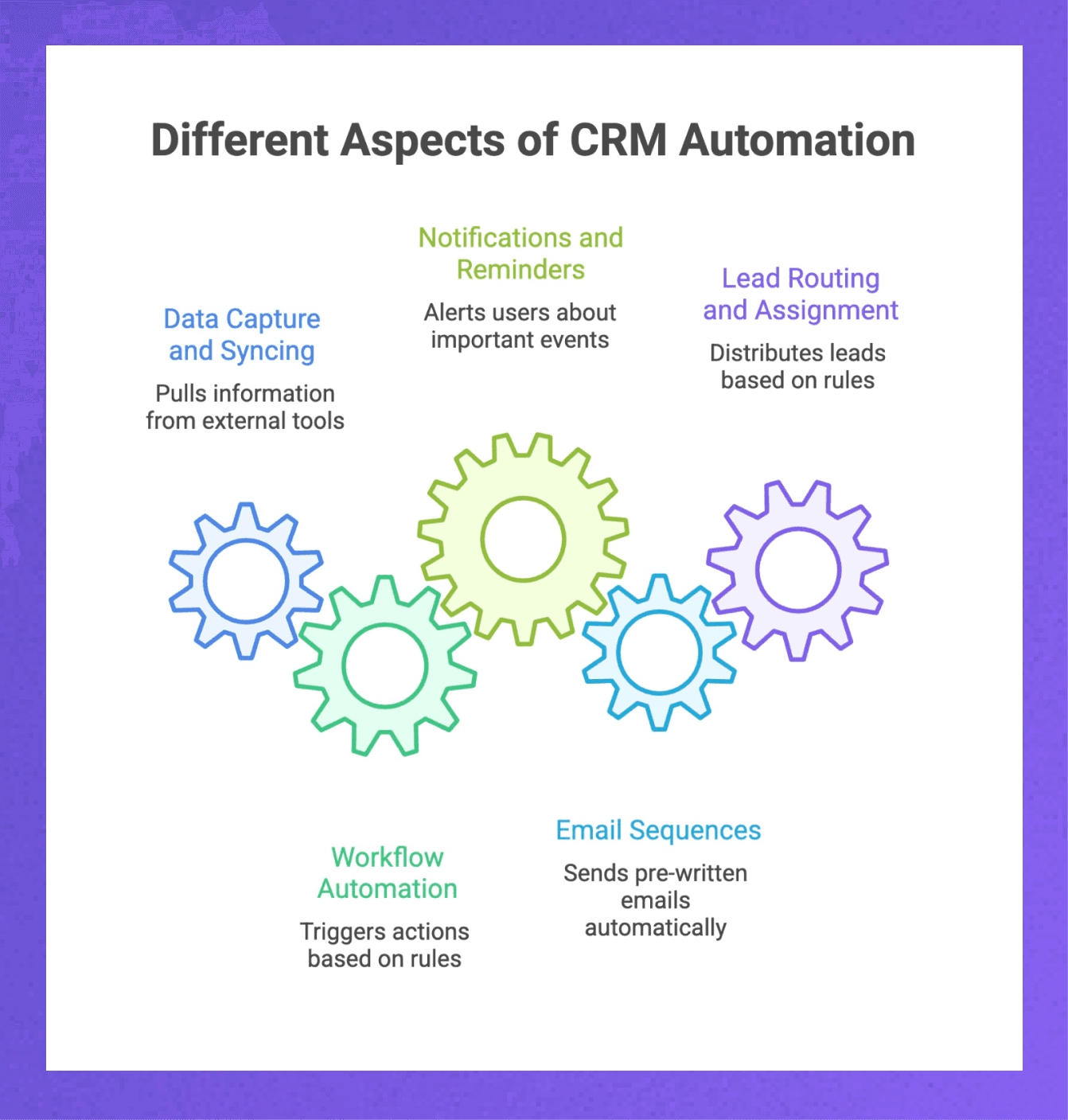
Data capture and syncing: Pulls information from email, calendar, and meeting tools and logs it directly in the CRM without manual entry.
Workflow automation: Triggers actions based on rules. A new lead gets assigned automatically. A deal changes stage, and a task gets created. A contact goes cold, and a reminder fires.
Notifications and reminders: Alerts that keep things from going stale. Deals sitting too long, tasks approaching deadlines, and contacts that need attention.
Email sequences: Pre-written nurture emails sent automatically over time based on triggers or schedules. Common in sales outreach, less relevant for relationship-driven businesses.
Lead routing and assignment: Incoming leads get distributed based on territory, deal size, availability, or round-robin rules.
Not all of these will matter for every team. The right mix depends on your sales model, team size, and how relationship-dependent your business is.
Benefits of CRM Automation
When automation is set up thoughtfully, the benefits are real and measurable. Here's what actually improves.
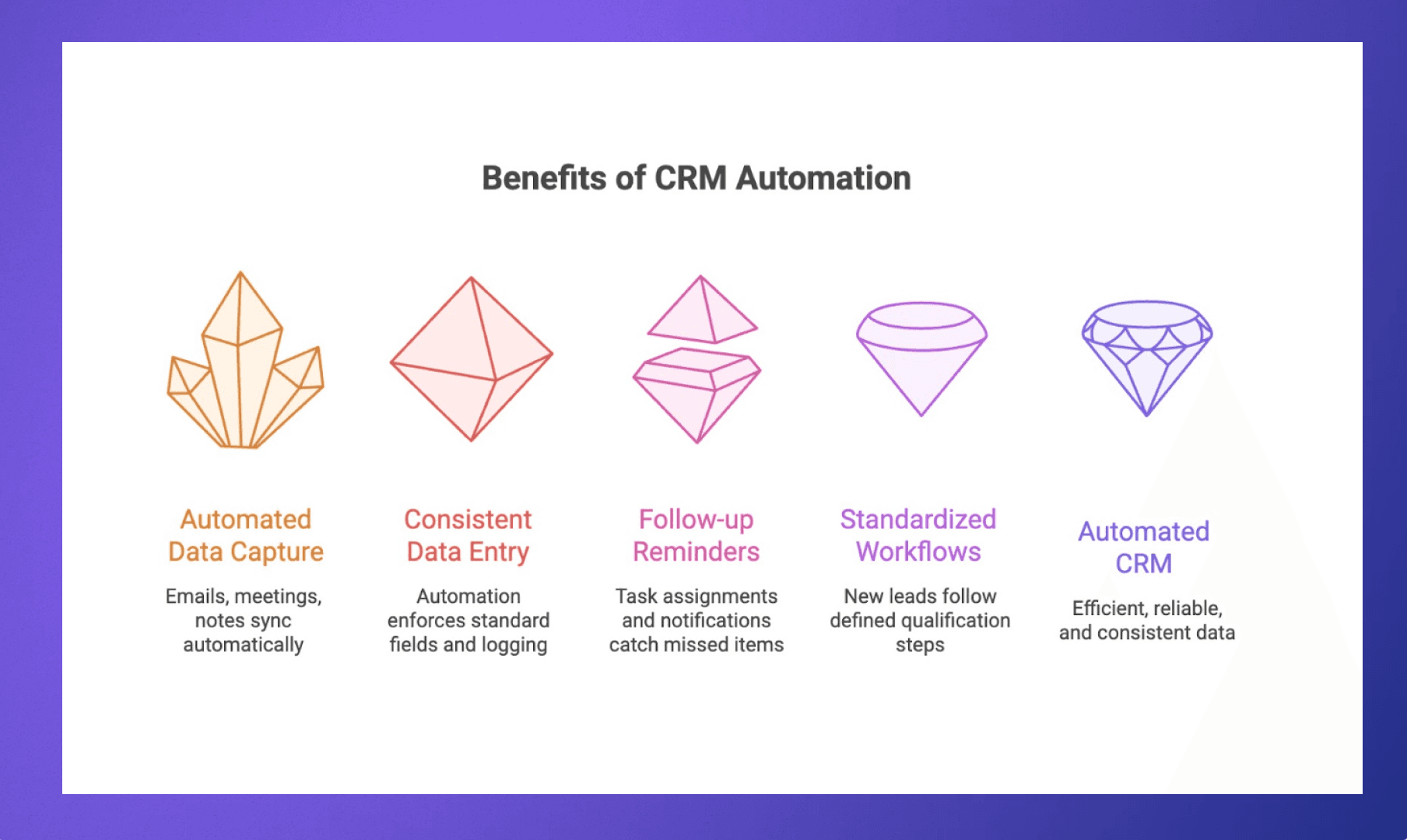
Less time on manual data entry
This is the most immediate win. For teams that previously relied on reps to log every call, update every record, and track every interaction manually, automation can reclaim hours each week. That time goes back into actual selling, relationship building, or strategic work instead of administrative upkeep.
Automated data capture is especially valuable for relationship-driven businesses where context matters. When emails, meetings, and notes sync automatically, the full history of a relationship is preserved without anyone having to maintain it by hand. Nobody has to remember to log a conversation or copy notes into the CRM after a call. It just happens.
Cleaner, more reliable data
Manual processes are inconsistent. Some reps update records diligently. Others forget or cut corners when things get busy. Over time, you end up with a CRM full of stale information, missing fields, and records that haven't been touched in months. At that point, the system stops being a source of truth and starts being a liability.
Automation enforces consistency:
Every email gets logged regardless of who sent it
Every meeting gets recorded, without someone remembering to do it
Fields update based on activity rather than manual input
When data stays current by default, reporting becomes more accurate, and the time spent on auditing and record cleanup drops significantly.
Fewer things slipping through cracks
Follow-up reminders, task assignments, and stage-based notifications catch the things that would otherwise get missed. When a deal stalls for two weeks, someone gets pinged. When a new lead comes in, it gets routed immediately instead of sitting in a queue. When a contact hasn't been touched in 30 days, a reminder surfaces before the relationship goes cold.
For growing teams, especially, this kind of automation acts as a safety net. It doesn't replace good habits, but it reduces the cost of small mistakes and keeps the pipeline moving even when people are stretched thin.
More consistent processes
Without automation, process adherence depends on individual discipline. Some reps follow the playbook. Others improvise. The result is inconsistency that makes it harder to forecast, coach, or identify what's actually working.
Automation can enforce a standard workflow across your team:
New leads go through the same qualification steps
Deals progress through defined stages with required fields at each gate
Follow-ups happen at predictable intervals based on deal type or priority
This consistency makes onboarding new hires faster, forecasting more reliable, and pipeline problems easier to spot before they become serious. It also frees managers from constantly checking whether the basics are being followed.
Best Practices for CRM Automation
Getting automation right is less about which features you use and more about how deliberately you use them. A few principles that help.
Start with the pain, not the feature
Don't automate something just because you can. Start by identifying where your team is actually losing time or making mistakes. Is it manual data entry? Missed follow-ups? Inconsistent lead routing? Build automation around those specific problems rather than exploring the automation menu and looking for things to turn on.
Keep humans in the loop for high-stakes touchpoints
Automation works best for low-risk, high-frequency tasks. Data logging, reminders, internal notifications, and routine assignments. For anything that touches a relationship directly, especially important relationships, keep a human involved.
That might mean:
Automating the reminder but not the message itself
Using templates as starting points rather than sending them as-is
Routing leads automatically, but requires manual review before outreach
Document what you build
Every automation should have a clear owner and a simple explanation of what it does. This doesn't need to be elaborate. A shared doc or internal note that answers: What triggers this? What happens when it runs? Who's responsible for it?
Without documentation, your automation becomes tribal knowledge. When the person who built it leaves or forgets, you're left guessing.
Audit regularly
Set a cadence to review your active automations. Quarterly works for most teams. Look at what's running, whether it's still relevant, and whether anything is misfiring. Kill the ones that aren't adding value. Simplify the ones that have gotten too complex.
Automation debt accumulates just like technical debt. Regular cleanup prevents it from becoming unmanageable.
Match automation to your business model
High-volume transactional sales can absorb more aggressive automation. Sequences, auto-emails, rapid lead routing. Relationship-driven businesses need a lighter touch. The more your success depends on trust and personal connection, the more careful you should be about what you automate.
This isn't about avoiding automation. It's about fitting the automation to how your business actually works, not how a generic CRM assumes it should.
How to Know if Your Automation is Working
Automation isn't something you set up once and forget. The teams that get lasting value from it check in regularly to see what's actually helping and what's just running in the background unchecked.
Signs your automation is working:
Data quality has improved without anyone manually cleaning it up
Follow-ups happen more consistently across the team
New hires ramp faster because the system guides them
Less time spent on admin work, more on actual relationships
Fewer things slip through cracks, not because people got better at remembering, but because the system catches what they miss
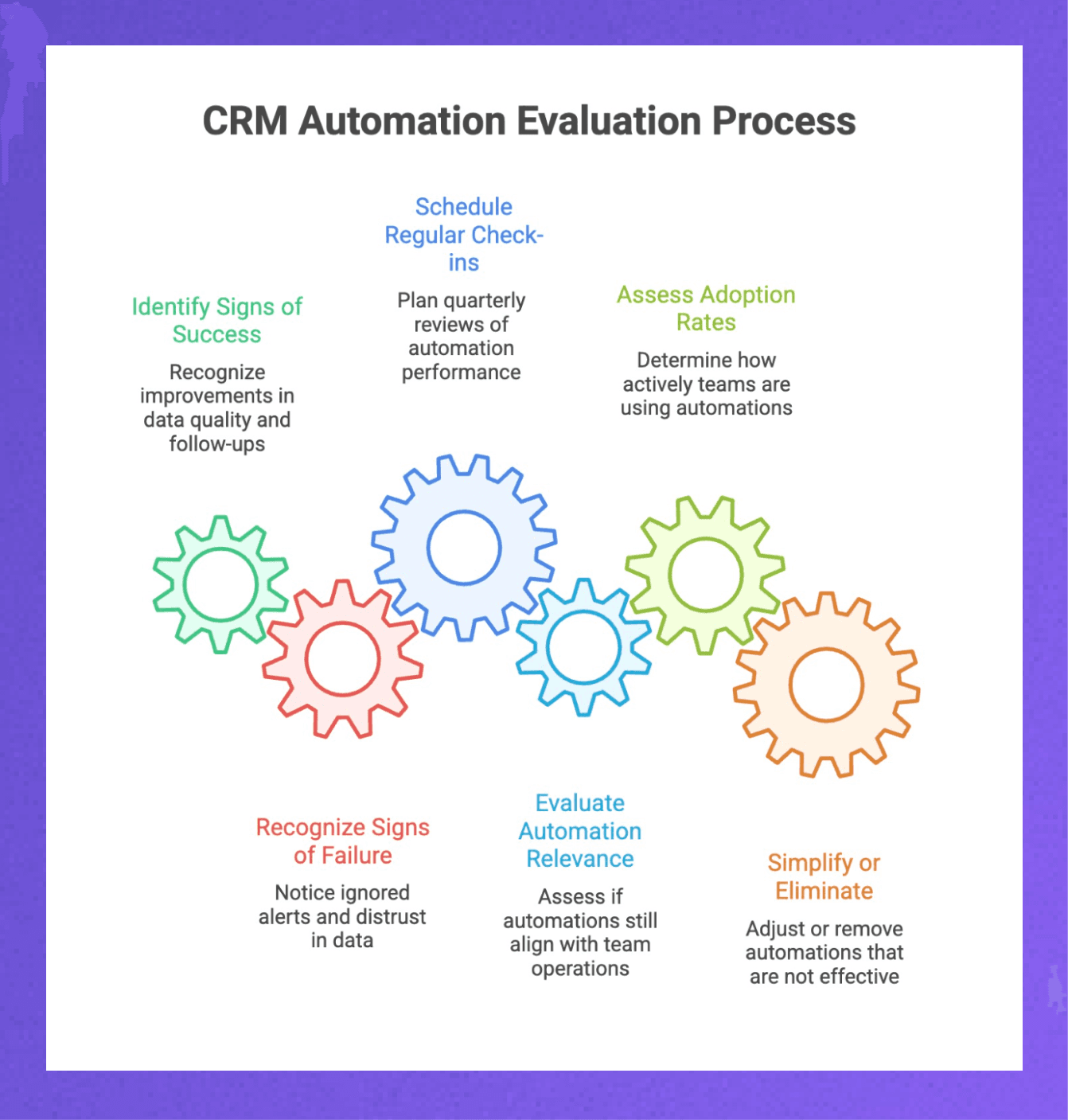
Signs it's gone wrong:
Alerts get ignored because there are too many of them
Reps stop trusting the data and keep their own notes elsewhere
Workflows trigger actions that no longer match how the team operates
Nobody's sure what's automated anymore, and nobody wants to touch it
Build in a regular check-in; quarterly works for most teams. Look at what's running, whether it's still relevant, and whether adoption is actually happening. If an automation isn't being used or is creating more noise than value, simplify it or kill it. The goal is a system that stays useful as your team and process evolve, not one that calcifies into something everyone works around.
Choose Rings AI for Smarter, Relationship-First Automation
Traditional CRMs were designed for high-volume transactional sales, where the goal is to move leads through a funnel as efficiently as possible. Automation in these systems reflects that: sequences, mass emails, and lead scoring based on conversion likelihood. It works for businesses where relationships are short and volume is high.
For relationship-driven businesses, this model breaks down. When the same people show up again and again as investors, partners, customers, or advisors, you need automation that preserves context over time rather than optimizing for a single conversion
That's why we built Rings AI.
What Rings AI automates:
Data capture: Email, calendar, and meeting data syncs automatically across your team. No manual entry, no reminding people to log activity.
Relationship visibility: See who on your team knows whom based on actual communication patterns. Warm intro paths surface without manual mapping.
AI search: Ask questions about your notes, files, and relationship history in plain language. Get answers instead of digging through records.
News tracking: Follow companies that matter to you without setting up manual alerts or checking multiple sources.
Privacy controls: "Rings" let you control exactly who sees what. Automation doesn't mean losing control over sensitive data.
The right CRM automation saves time without sacrificing the personal touch that relationships require.
Book a demo to see how Rings handles automation for relationship-driven teams.
Learn more about CRM for venture capital firms.