
Rolling out a new CRM is supposed to create clarity: one source of truth, better visibility, and smoother handoffs for easy use. Yet for many teams, it feels more like moving into a half‑finished house where the walls are in the wrong place, and the doors are jammed.
Yes, complex platforms can pose major challenges. And getting teams up to speed can take time. However, some of the biggest obstacles to CRM implementation aren’t about technology at all. They come from unclear goals, poor adoption, and misalignment between how people work and how the system is built. That’s why, when teams rush implementation or treat the project as purely technical, even the best‑designed software can struggle to gain traction.
This guide breaks down a practical CRM implementation process, including best practices and key roadblocks to look out for and overcome.
Step‑by‑Step CRM Implementation Process
Beyond just navigating technical configurations or vendor setups, think of CRM implementation as building infrastructure for relationships. Each step compounds the next, creating a strong and sustainable foundation for long‑term adoption.
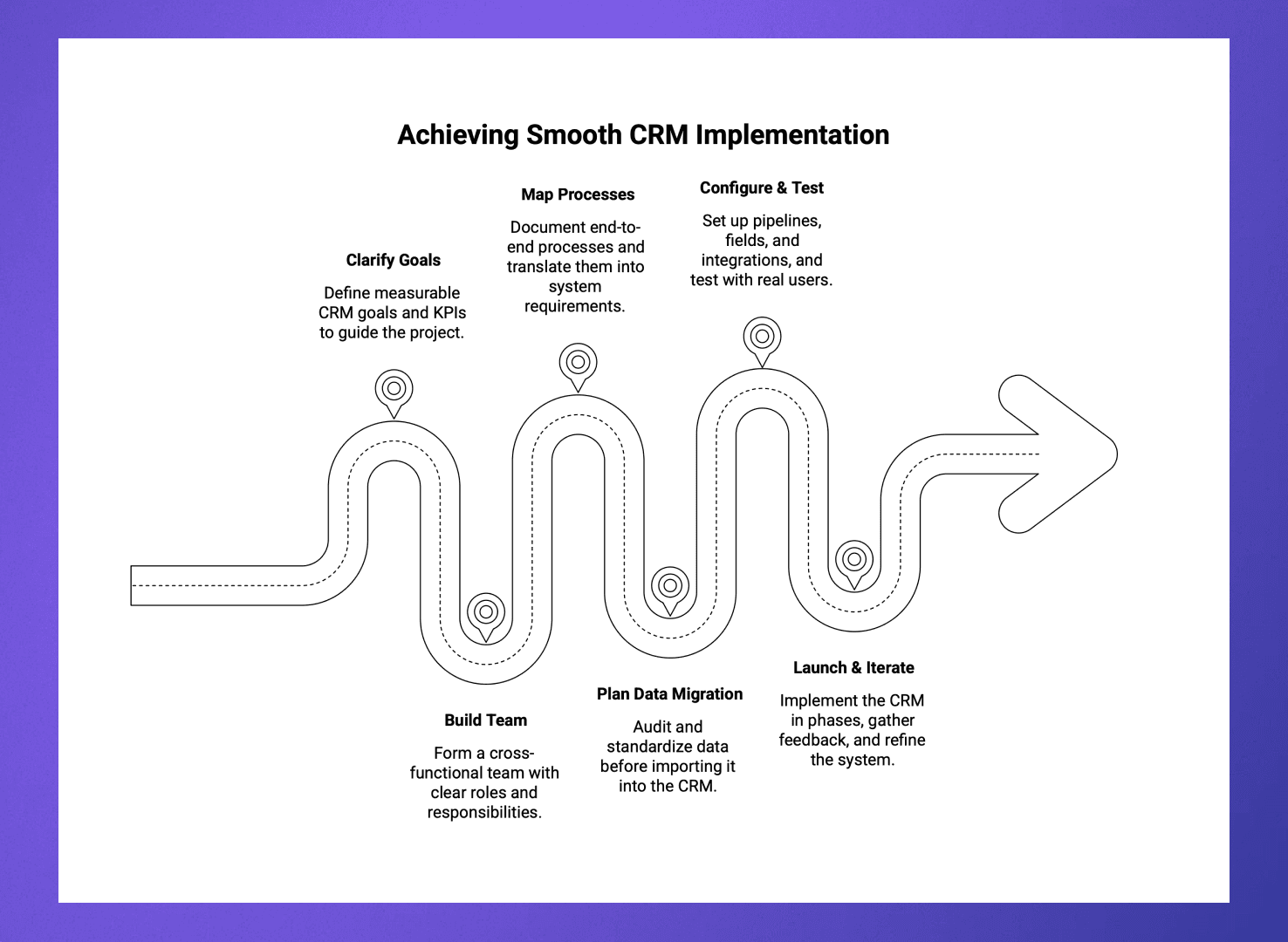
Whether you’re setting up your first or next CRM, follow these steps for smooth implementation:
1. Clarify goals and success metrics
The best CRM projects start with business outcomes, not wish lists. Define measurable CRM goals, such as shortening lead response time or improving forecast accuracy, and translate those goals into KPIs, for instance, lead‑to‑opportunity conversion rate, time‑to‑close, or customer retention percentage. Document these goals before evaluating tools, since they’ll inform your choices.
2. Build a cross‑functional project team
CRMs touch every customer‑facing function, so implementation must be collaborative. Form a core implementation team with champions from sales, marketing, customer success, and operations, and assign clearly defined roles. Schedule consistent alignment check‑ins to capture requirements early and build trust across teams.
3. Map processes and requirements before customizing
Document your end‑to‑end processes, from where leads originate to how handoffs occur, and define what “done” means across each stage. Translate those findings into system requirements, including fields, automations, and reports needed to support those workflows. Resist premature customization, since over‑configuring early adds fragility and upgrade risk.
4. Plan data migration and cleanup
Migrating messy data from spreadsheets or legacy tools is often the most underestimated step. Audit every data source to determine what’s accurate, redundant, or outdated, and standardize formats before import by normalizing company names, dates, industries, and tags.
5. Configure, integrate, and test
Configure pipelines, custom fields, and permissions to reflect previously defined workflows. Also, take the time to properly integrate sales, email, calendar, and marketing systems to enable automatic data syncing across teams. Test live scenarios with real users, not just admins, by simulating pipeline progression, lead routing, and renewals.
6. Launch in phases and iterate
CRM systems are best launched incrementally rather than all at once. Begin with pilot stages for a smaller team, gather feedback, and refine the setup before expanding organization‑wide. Use KPIs like login frequency and pipeline hygiene to measure adoption success, and plan quarterly reviews to introduce enhancements so the system evolves alongside your business.
Best Practices For a Successful CRM Implementation
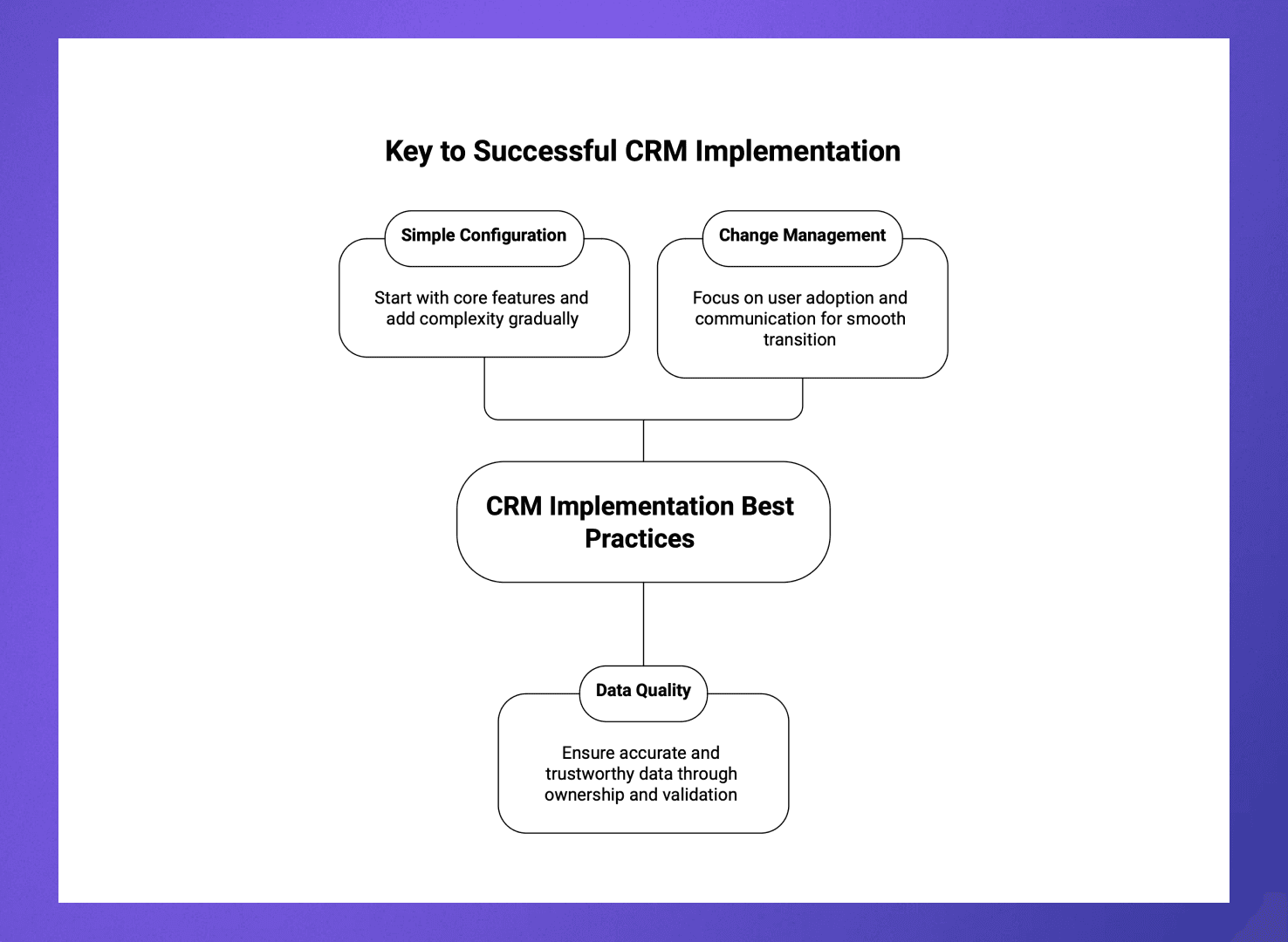
Even strong teams fail if they underestimate the human side of CRM. That’s where these best practices can help align people, data, and processes across your system:
Keep configuration simple and extensible
Simplicity now saves pain later. Begin with core pipelines and objects, adding complexity only as validated needs arise. Standardize naming conventions, properties, and stage definitions, and avoid “custom‑everything syndrome,” which increases training time and upgrade costs.
Design for data quality and trust
A CRM is only as good as the data inside it. Assign data ownership by function and establish clear policies for record hygiene. Implement validation rules and automation to prevent incomplete or duplicate entries, and schedule quarterly data audits to maintain accuracy and credibility.
Make adoption a change‑management project
Technology doesn’t drive transformation; people do. Communicate personal wins such as faster quoting, more context before meetings, and fewer manual tasks. Encourage quick successes and celebrate visible improvements like better pipeline accuracy or reduced duplicate work. Gather structured feedback during the first 90‑day adoption period to identify friction points and refine the process.
Common CRM Implementation Pitfalls (And How To Avoid Them)
You may want to just get your system up and running quickly. But beware of potholes and pitfalls that show up along the way.
Recognizing these challenges early and addressing their root causes greatly improves your odds of on‑time, on‑budget, and high‑adoption success.
Pitfall 1: Treating CRM as an IT project
Many organizations still approach CRM implementation as a tech upgrade rather than a business initiative. The result? Systems end up over‑engineered and under‑used because they’re configured for data storage, not sales enablement, customer success, or leadership visibility.
Fix: Make the business the driver, not IT. Involve IT to ensure scalability and security, but let business leaders define functionality and data priorities.
Pitfall 2: Ignoring cross‑functional alignment
When teams design their own parallel processes, the CRM quickly becomes fragmented. Marketing logs campaigns in one way, sales tracks deals another, and customer success captures renewals in siloed spreadsheets.
Without shared standards, data loses meaning and trust erodes.
Fix: Build governance into the project from the start. Establish a cross‑department steering group that meets regularly to review data standards, pipeline definitions, and dashboard metrics. Shared dashboards and joint reviews ensure alignment persists after launch, creating both a shared language and a shared view of performance.
Pitfall 3: Underestimating data migration effort
One of the most underestimated challenges is moving legacy data cleanly into the new system. Inconsistent formats, missing fields, and duplicate records can turn “go‑live” into “start‑over.”
Once users lose confidence in the data, adoption plummets.
Fix: Treat migration as its own workstream, not a final checkbox. Deduplicate, standardize, and enrich data before import, not after. Run pilot migrations with several sample accounts to test field mapping and workflow triggers. Use validation tools and user testing to confirm data accuracy, then document cleanup rules for continuous maintenance.
Pitfall 4: Over‑customizing too soon
It’s tempting to tailor every field, automation, and screen during the initial build. But heavy customization creates complexity that makes upgrades painful, raises costs, and slows user performance.
Fix: Start with simplicity and scale only as your team proves the need. Use native features for basic workflows and build agile iterations as feedback accumulates. Create a change‑request process so customization decisions are made deliberately, with clear ROI justification. This makes your system flexible rather than fragile.
Pitfall 5: Skimping on training and support
Many CRM rollouts fail not because of technology but because teams don’t know how to use it or don’t see why they should. Launch‑day training sessions fade fast, leaving teams to revert to old habits.
Fix: Plan for continuous enablement, not one‑time onboarding. Deliver role‑specific sessions that show how CRM helps users achieve their goals, from faster quoting to better pipeline visibility. Identify “power users” or champions in each department to provide on‑the‑ground coaching and new‑user ramp support. Celebrate early wins publicly to reinforce positive habits and demonstrate quick value.
How Rings AI Helps De‑risk CRM Implementation
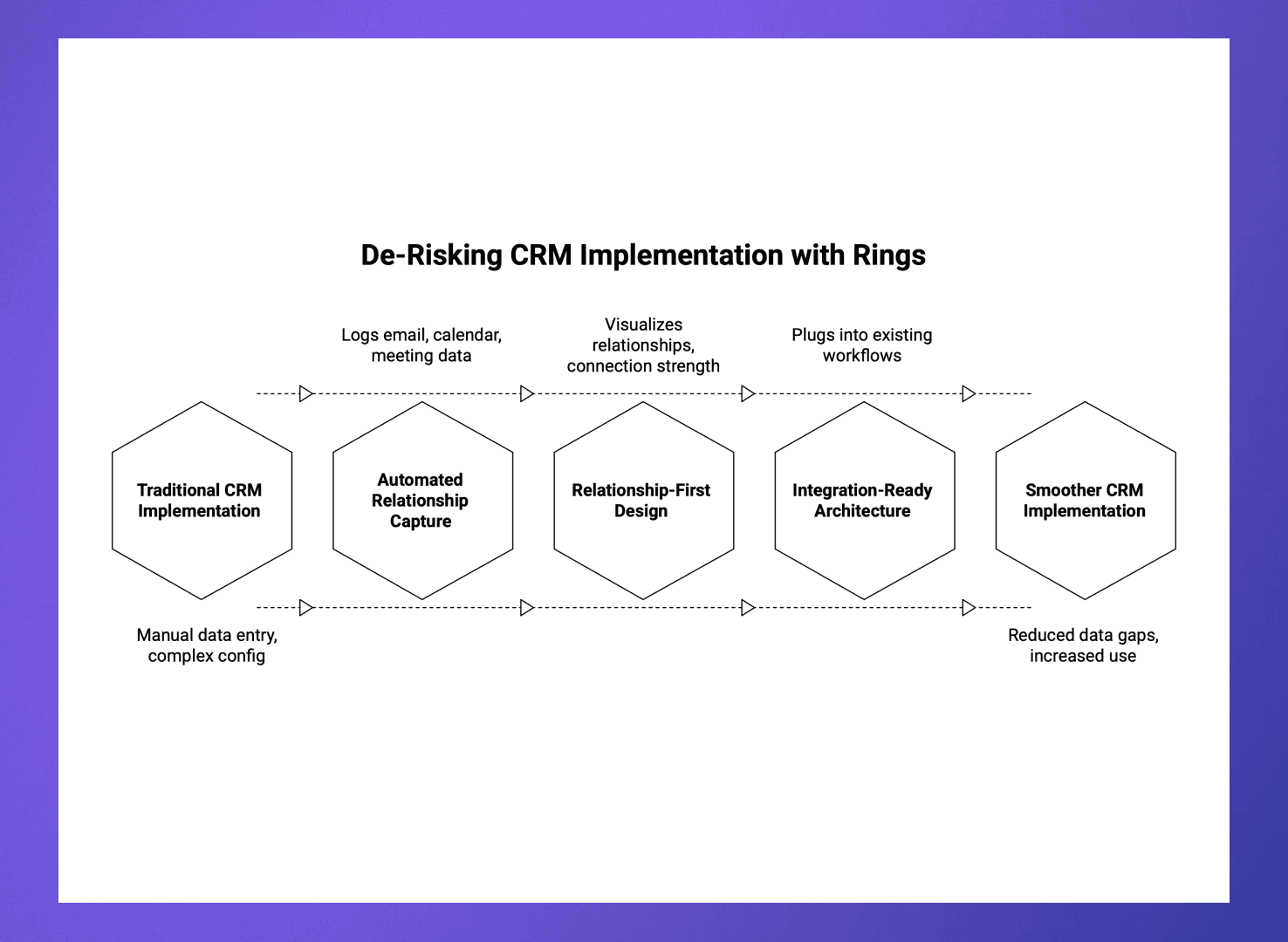
Some traditional CRMs still rely on manual data entry and complex configuration to operate, setting up massive barriers to entry and delaying any value they provide. Rings AI flips that model by focusing on automation, relationship intelligence, and user adoption from the start.
Here’s a closer look at why CRM implementation with Rings AI is smoother:
Automated relationship capture: Rings AI automatically logs email, calendar, and meeting data, eliminating manual data entry and accelerating launch readiness.
Relationship‑first design: Instead of treating CRM as record storage, Rings AI visualizes relationships, connection strength, and referral paths so teams use it to uncover opportunities right away.
Integration‑ready architecture: Rings plugs into existing workflows (Salesforce, HubSpot, Gmail, Outlook), enriching them instead of replacing them.
This combination dramatically reduces data gaps, increases daily active use, and ensures value realization within weeks.
Turn CRM from a Database into a Growth Engine with Rings AI
CRM implementation isn’t about plugging in the right software; it’s about designing a system that reflects your real relationships and decision flows. Done right, it unites people, data, and strategy into a single ecosystem that drives predictable growth. Done poorly, it becomes a costly contact repository that few use.
That’s where Rings AI comes in. By automating data capture, mapping relationships, and embedding engagement intelligence, Rings AI helps teams quickly realize value from their CRM investment. Instead of forcing users to adapt to rigid data entry, it adapts to how people actually build relationships and close business.
Ready to see for yourself? Book a demo to get started.
Learn more about CRM for venture capital firms.