
In the renowned 1992 film, “Glengarry Glen Ross,” top salesman Blake tells his colleague: “These are the new leads […] they’re gold. And you don’t get them. Why? Because to give them to you is just throwing them away. They’re for closers.”
Sales leaders might be tempted to say this to their CRMs in today’s tech-driven world. According to 2025 research from Validity, 76% of CRM users said less than half of their organization’s CRM data is accurate and complete, leaving reps to chase ghosts and managers flying blind on misleading forecasts. It’s no surprise, then, that CRM adoption is high but satisfaction remains low.
That’s where advanced, customized CRM dashboards are essential.
Next-gen dashboards change the game by scrubbing, organizing, and personalizing CRM data, transforming unreliable reports into real-time sales intelligence you can trust. Still, the winning formula to CRM success isn’t just cleaner data—it’s dashboards that deliver predictive insights and actionable recommendations, finally freeing sales teams from spreadsheet purgatory.
So, want your team spending less time fixing bad data and more time actually closing deals?
Read on for an in-depth guide to building a CRM dashboard your reps will actually use—and how smart solutions like Rings AI set a new sales standard.
What Is a CRM Dashboard?
A customer relationship management (CRM) dashboard is a customizable interface that visualizes and displays your business’s most important sales, pipeline, and relationship data in real time. Think of it as your organization’s mission control: with just a glance, your team can spot hot leads, monitor deal progress, and stay on top of KPIs and customer health.
In 2025, the best CRM dashboards aren’t just informational—they’re interactive and AI-driven, adapting to user roles and updating instantly as deals, contacts, and relationships evolve.
What Does a CRM Dashboard Include?
Knowing what’s in a CRM dashboard helps you see why certain features make all the difference. Ultimately, your dashboard should be set up to gather and present the most impactful metrics that keep your pipeline moving forward.
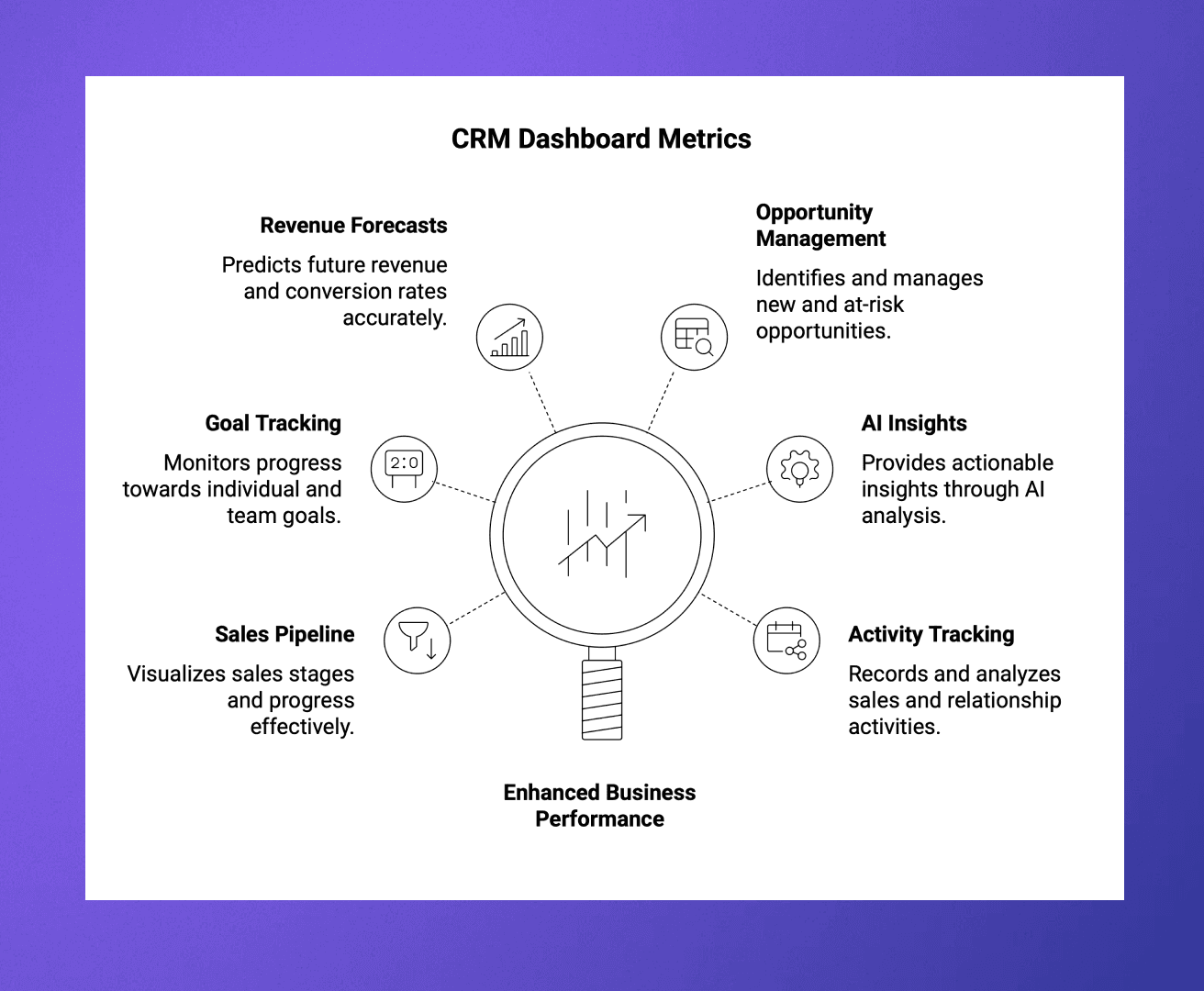
Specifically, modern CRM dashboards aggregate and visualize essential sales and relationship metrics such as:
Sales pipeline and funnel status
Individual and team goals vs. actuals
Revenue forecasts and conversion rates
New and at-risk opportunities
AI-powered insights
Activity tracking (calls, emails, meetings)
Relationship health scoring and account alerts
Custom metrics for marketing, customer success, and operations
With the CRM market continuing to boom, modern CRMs like Rings AI raise the bar by automating data capture, validating records, and using AI to surface the hottest leads—so you can analyze anything from high-level performance down to individual touchpoints.
Key Benefits of a CRM Dashboard
A well-built CRM dashboard doesn’t just track data, it transforms your sales approach. When configured just right, a CRM dashboard delivers quantifiable advantages across your organization, including:
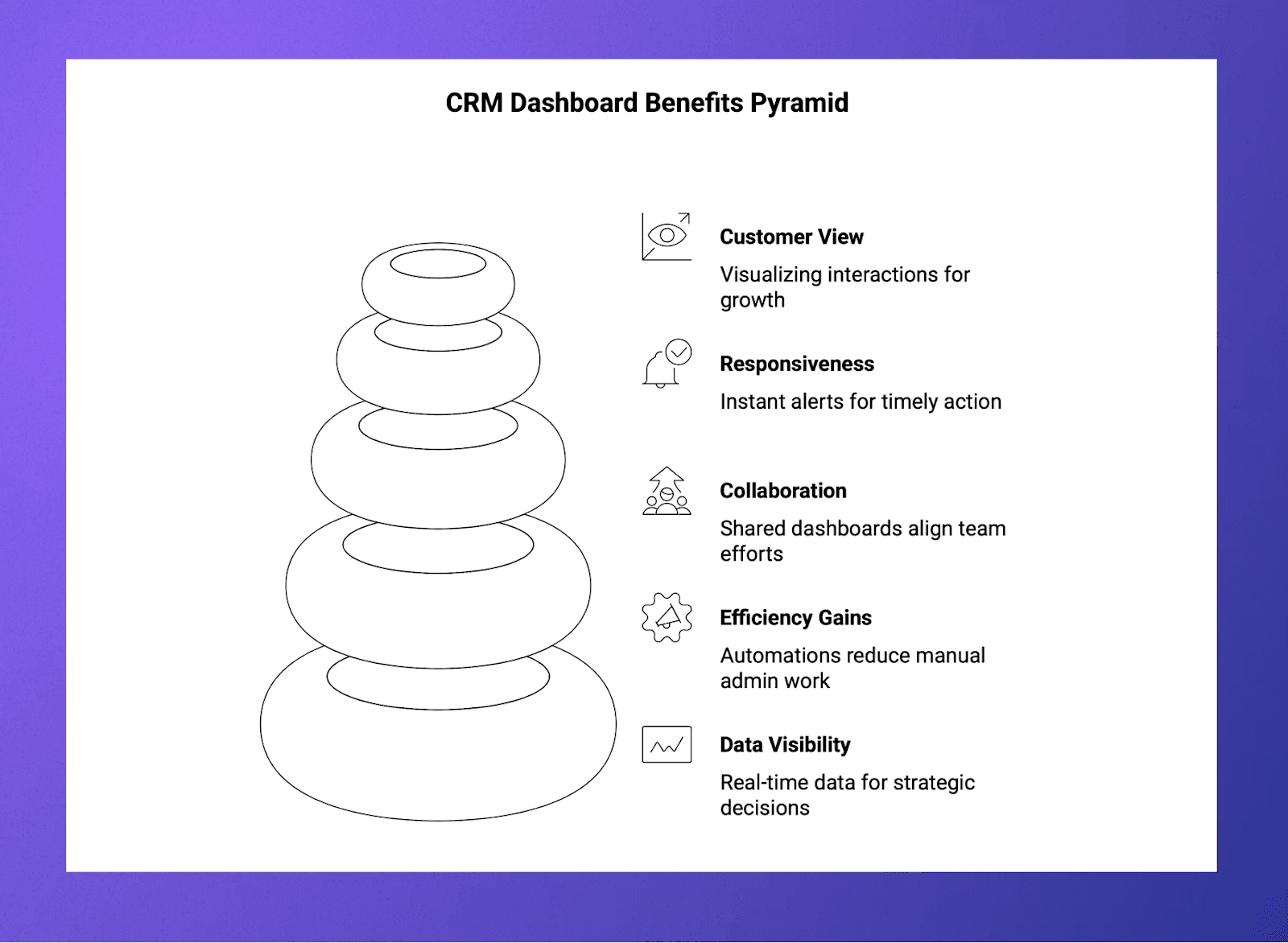
Improved Decision-Making: Real-time data visibility lets your leaders optimize strategies, resource allocation, and deal prioritization instantly.
Increased Efficiency: Dashboards eliminate the need for manual reports and data silos. Meanwhile automations track everything from outreach to deal health, so teams focus on selling—not manual admin work.
Better Collaboration: Shared dashboards keep every team member aligned and accountable, empowering cross-functional teams with a single source of truth.
Faster Response Times: Instant alerts for in-progress deals, at-risk accounts, or major changes in engagement help your team act before opportunities are lost.
360° Customer View: Visualizing every interaction and relationship path helps reveal growth opportunities and surface warm introductions that drive new business.
CRM Dashboard Use Cases and Examples
CRM dashboards aren’t just for sales management—they power data-driven work across multiple business functions:
Sales Teams
Sales reps and managers rely on dashboards to track pipeline stages, prioritize outreach, and spot at-risk deals before they slip away. With personalized views, each rep can track their performance against quotas, log communications seamlessly, and get AI-driven prompts on high-value relationships to nurture. This transparency fuels accountability and faster decision-making on every deal.
Marketing Teams
Marketing uses CRM dashboards to connect campaigns directly to lead quality and conversion rates. By visualizing lead sources, engagement levels, and moving targets through the funnel, marketers can quickly identify winning channels and tweak messaging. Dashboards also help measure campaign ROI, aligning marketing tactics with sales outcomes.
Customer Success Teams
Customer success teams monitor account health and churn risk through CRM dashboards that aggregate service interactions, satisfaction scores, and renewal timelines. This consolidated view allows proactive outreach to at-risk clients and helps identify upsell opportunities, improving retention and lifetime value.
Executive and Strategy Teams
Executives use dashboards to track revenue forecasts, segment growth, and overall sales velocity. These high-level views highlight portfolio health and emerging trends, providing the strategic insight needed to allocate resources and adjust company-wide sales priorities promptly.
Operations and Support Teams
Operations leverage dashboards to track response times, service levels, and team activity. This data drives efficiency improvements, ensuring that internal and customer-facing processes stay smooth and aligned with business goals.
What to Look for in a CRM Dashboard
Choosing the right dashboard is about more than checking off a laundry list of features. It’s about assessing how well the dashboard fits your sales process and encourages adoption through ease and flexibility.
To that end, it’s important to look for key attributes such as:
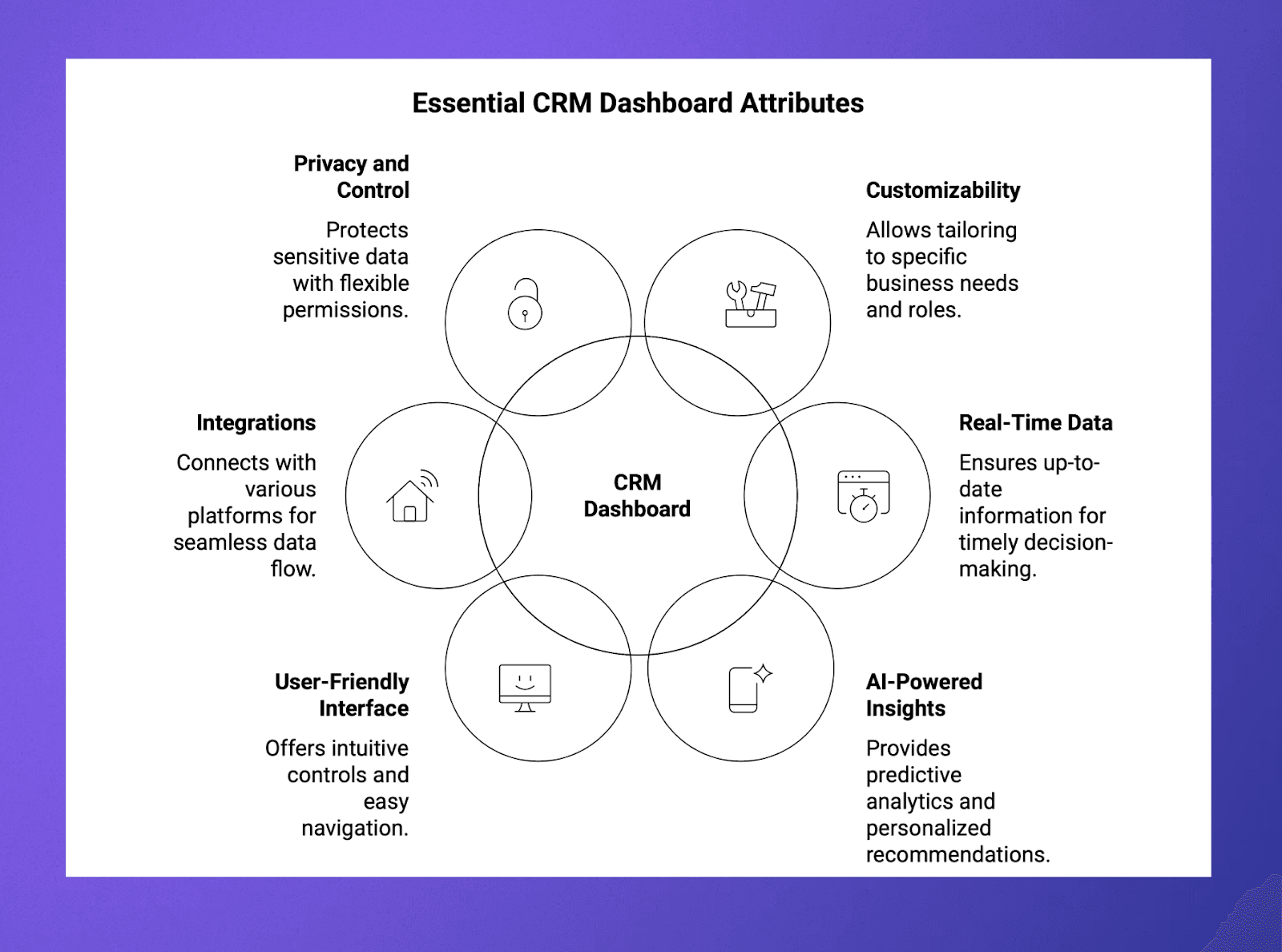
Customizability: Your CRM should support custom fields, views, widgets, and role-based access.
Real-Time Data: Your dashboard should be always up-to-date, with automated syncing from email, calendar, and other sources.
AI-Powered Insights: Access predictive analytics, smart alerts, and personalized recommendations elevate user effectiveness.
User-Friendly Interface: Choose a CRM with simple and intuitive controls and drag-and-drop modules for ease of use.
Integrations: Be sure your CRM can connect with email, file storage, and data enrichment platforms, as well as legacy CRMs and other vital communication channels.
Privacy and Control: Set up flexible permissions and data access to protect sensitive deal-related info.
How to Build and Customize Your Own CRM Dashboard
Customizing your dashboard ensures it actually serves your team’s unique needs. So you can use your CRM to drive daily action and continuous improvement.
Ready to personalize your CRM experience to fuel growth and land deals? Start by following these steps:
Define Your Metrics and Goals: Identify the KPIs that drive outcomes for your teams, like win rates, funnel velocity, renewal forecasts, and relationship health.
Gather and Integrate Data: Sync all relevant data sources (email, calendar, marketing, customer service) into one centralized CRM platform.
Design Your Dashboard: Use a template or drag-and-drop builder to lay out charts, graphs, alerts, and interactive filters.
Customize Views by Role: Give execs a strategic overview; let sales reps drill down into personal pipeline and relationship data; and let marketing see campaign-to-lead attribution.
Leverage Automation and AI: Set up automated data capture, AI-based scoring, and proactive alerts for new, at-risk, or neglected opportunities.
Iterate with Feedback: Survey your team to remove unused widgets, optimize layout, and adapt KPIs to match evolving goals.
Driving Sales Success with Rings AI: Your CRM Dashboard Game-Changer
The right CRM dashboard can be a game-changer for your sales organization. So don’t settle for static or outdated platforms; build a CRM experience that is dynamic, team-driven, and propelled by AI.
Rings AI’s advanced CRM dashboard delivers all these features—and more—that fast-moving firms need to centralize intelligence, focus their teams, and consistently win in the competitive 2025 landscape. With Rings AI, you get a seamless platform that auto-captures engagement data, offers customizable views tailored to roles, and ensures privacy controls that keep sensitive insights secure—so you can turn data into competitive opportunities for decisive action and business growth.
No more out-of-date spreadsheets. No more “just for management” dashboards ignored by the front lines. With Rings AI, every user gets an interface that amplifies results and unlocks the real value in your relationship data.
Ready to transform your CRM dashboard into a dynamic sales accelerator? Book a demo with Rings AI.
Rings AI is a relationship intelligence CRM designed for teams that manage complex, long-term relationships. Book a demo to see how Rings AI can work for your team.