
Airtable has grown from a collection of glorified spreadsheets on steroids into a flexible, no-code database and light CRM that powers marketing ops and custom internal tools for thousands of teams. It blends relational database structure with flexible views so even non-technical teams can build mini-apps without engineering.
Still, recent pricing changes have upped Airtable costs and brought strict limits on automations, interfaces, and record counts that can force expensive upgrades as usage scales. While Airtable reviews highlight the platform’s power and UX, they also call out hidden costs, complexity, and limited relationship intelligence compared with more powerful CRMs.
Considering Airtable for your team or looking to jump to an alternative?
Here, we’ll provide an in-depth review of Airtable’s key features, pricing models, and pros and cons to help.
What is Airtable?
Airtable is a cloud platform that combines database-style tables, relational links, and visual views into a customizable workspace for tracking projects, assets, and operational data. Teams can design “bases” for anything from marketing campaigns to product feature requests, then switch between grid, Kanban, calendar, Gantt, and gallery views to manage their work.
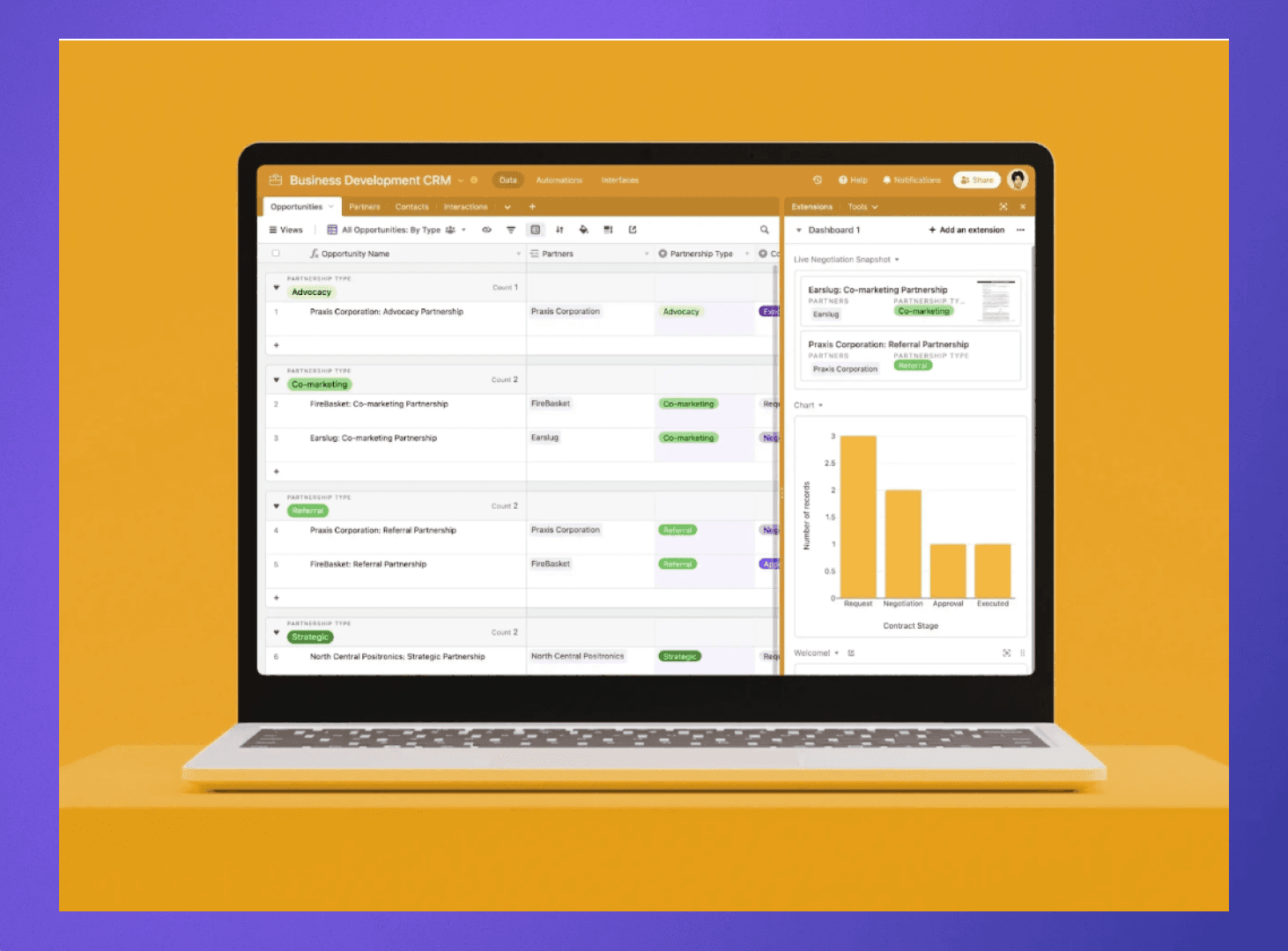
Because of its no-code builder, form views, and robust API, Airtable often acts as a lightweight app platform that replaces spreadsheets, ad-hoc tools, and homegrown databases. Integrations with tools like Slack, Google Calendar, and other SaaS apps also make it a flexible hub for workflows without requiring full developer intervention.
Key Airtable Features
Airtable’s core appeal is how it turns structured data into flexible, team-friendly workflows. Instead of forcing you into rigid templates, it lets you model your own tables, relationships, and views—then layer on just enough automation to keep things moving. For many teams, that combination of customization and usability is what makes Airtable feel more like an app platform than a simple database.
Going further, here’s a breakdown of Airtable’s key features:
Relational tables: Link records across multiple tables (e.g., contacts to deals to tasks) to create complex data models without SQL knowledge.
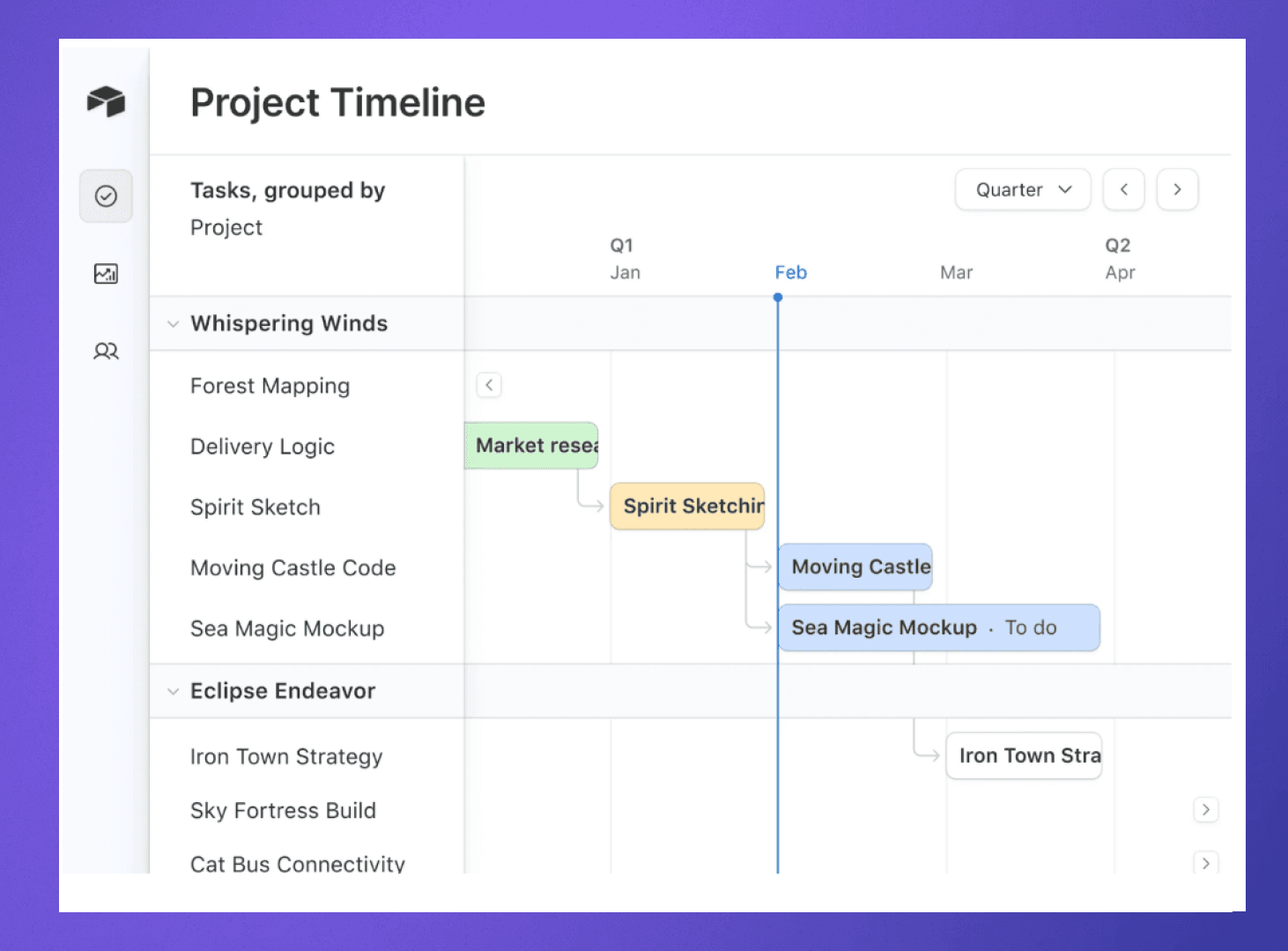
Multiple views: Switch between grid, Kanban, calendar, timeline/Gantt, gallery, and form views to suit different team needs and workflows.
Native automations: Trigger actions like notifications, status updates, record creation, or email alerts based on data changes or schedules.
Interface Designer: Build custom dashboards, forms, and stakeholder views that hide complexity and show only relevant data/actions.
Extensions and apps: Add charting, pivot tables, timelines, and third-party widgets directly into bases for enhanced analytics.
Forms and data collection: Create public or private forms to capture leads, feedback, or inventory directly into your bases.
API and syncs: Use a robust API for custom integrations plus native two-way syncs with Google Sheets, Slack, and other tools.
Real-time collaboration: Allow multiple users to edit, comment, and @mention in real time with full activity history and revision tracking.
Templates library: Access 100+ pre-built bases for CRM, project management, content planning, and operations to accelerate setup.
AI features (Business+): Use basic AI for data summarization, formula generation, and content creation within records and interfaces.
Airtable Pricing Breakdown for 2026
Airtable’s pricing has shifted notably in the last few years, with more aggressive jumps between tiers and increased reliance on automation and interface caps to drive upgrades.
Most teams land on one of four main Airtable price tiers:
Plan | Annual billing | Best for | Key features |
Free | Free | Individuals or very small teams | Limited records, automations, and sync features. Suitable for basic projects or testing, not production use. |
Team | $20 per user/month | Small to mid-sized teams | Higher record limits, more automation runs, advanced views, and access to extensions/interfaces. |
Business | $45 per user/month | Growing or scaling teams | Larger record limits, more automations, enhanced admin controls, SSO, and governance features. |
Enterprise | Custom quote | Large organizations or enterprises | Highest data and automation limits, advanced security, compliance, and governance. Typically higher cost. |
Airtable Pros and Cons
For many organizations, Airtable lands somewhere between a supercharged spreadsheet and a lightweight app builder—not quite a full CRM, but far more capable than typical project tools.
Here’s a closer look at the pros and cons.
Airtable pros:
Highly flexible no-code platform that lets non-technical teams design their own data models, workflows, and interfaces.
Intuitive, spreadsheet-like UI that makes adoption easier for users coming from Excel or Google Sheets.
Strong fit for project management, content ops, and operational workflows requiring relational data and visual views.
Works especially well as a flexible, shared system of record for operational data, where teams need a living database of campaigns, content, projects, or programs rather than a permanent CRM of record.
Shines as a project and operations hub for marketing, creative, and product teams that need boards, timelines, and task views tied directly to campaign, content, or product data.
Doubles as an internal tool and data hub for product or operations teams that want a central source of truth for inventory, partners, program data, or experiments, with integrations and basic automations keeping everything in sync.
Can serve as a lightweight, custom CRM for smaller sales teams, agencies, or service providers that need pipeline visibility and basic contact history more than deep relationship mapping or portfolio management.
On the downside, Airtable’s flexibility can lead to complexity—especially when multiple teams build overlapping bases and workflows without a central architecture.
Airtable cons:
Pricing escalates quickly as you hit caps on automation runs, records, interfaces, and attachments, pushing teams into higher tiers sooner than expected.
Complex relational setups and advanced automations introduce a learning curve, particularly for users without database or system design experience.
Lacks the deep native relationship intelligence, advanced analytics, and AI-driven prospecting that specialized CRMs provide out of the box.
Can become hard to manage when used as a long-term, primary CRM of record for large go-to-market organizations rather than as an operational system of record alongside a dedicated CRM.
May struggle at scale for highly specialized use cases (like complex revenue operations or multi-layer portfolio management).
Upgrade from Airtable for Deeper Relationship Intelligence
Airtable falls short when teams need to navigate complex, multi-party relationships—lacking native tools for visualizing multi-degree connections, AI-driven prospecting, or enterprise-grade workflows to close high-stakes deals. That’s why teams might seek specialized Airtable alternatives.
Rings delivers the revolutionary solution, empowering businesses with:
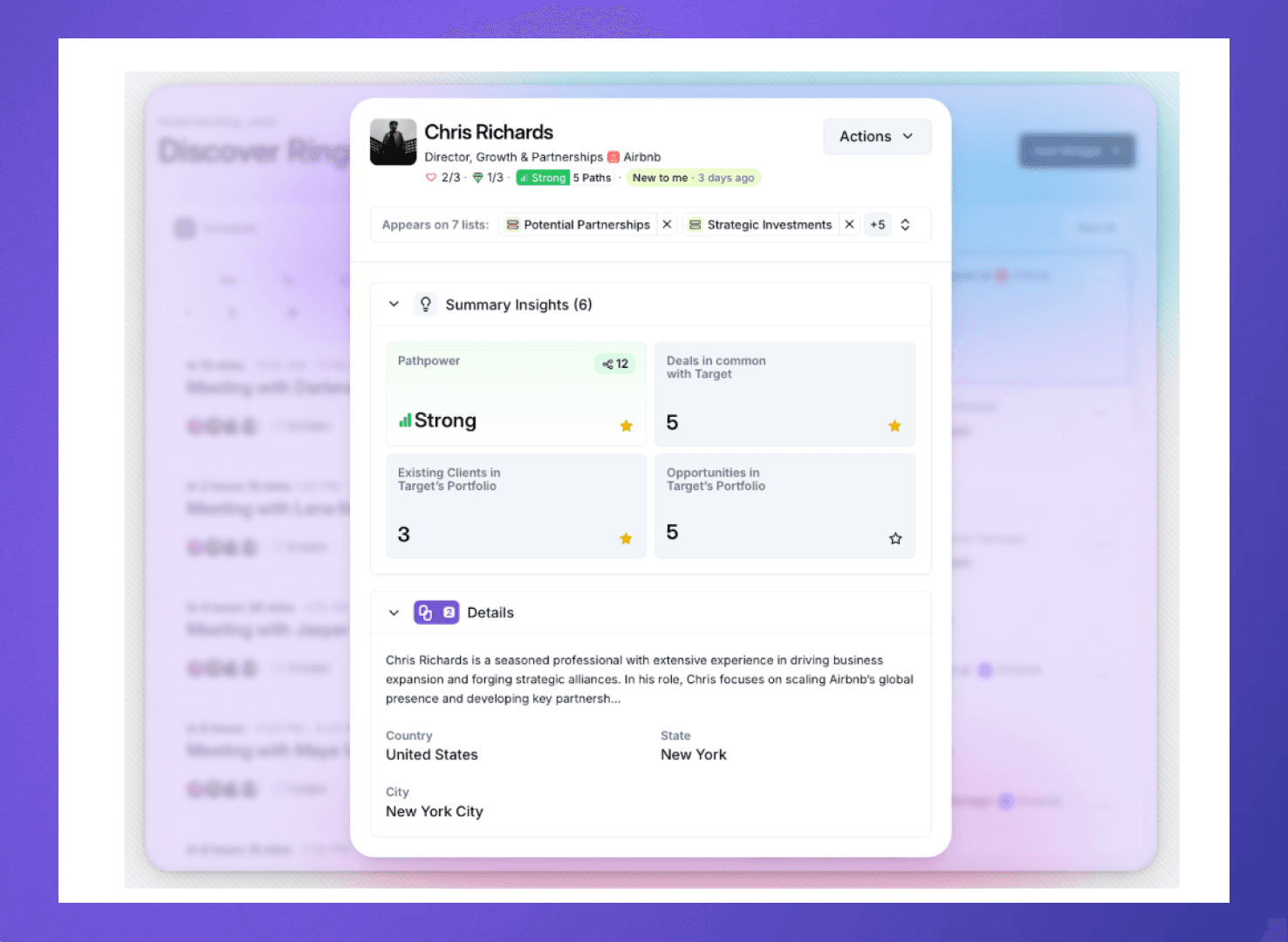
Visualization across complex networks: Map mutual contacts, career progressions, and hidden connections across your entire network—critical for high-value deal sourcing and execution.
AI-powered opportunity discovery: Get automated lead scoring, pre-meeting intelligence, and real-time company news to prioritize hidden opportunities based on relationship strength.
Enterprise-ready scalability: Enjoy unlimited automations, portfolio-level forecasting, centralized knowledge bases, and robust compliance controls designed for lengthening deal cycles.
Access Powerful Business Insights With Rings
Airtable is a solid choice for building flexible internal tools and light CRM databases, but Rings AI is designed for teams that live and die by the quality of their relationships and deal flow. Rings focuses on relationship mapping across investors, customers, and strategic partners, going far beyond Airtable’s database-centric approach.
Rings AI also offers automated network mapping from 100M+ data points, AI-powered opportunity scoring, real-time company news tracking, and over 7,000 integrations for seamless workflows.
Ready to access deeper relationship intelligence and AI-powered deal flow? Book a Rings AI demo today to see how it complements your current CRM.
Learn more about private equity CRM platforms and CRM for venture capital firms.