
Choosing the right CRM can sometimes feel like having a case of the Mondays: tasking you with overwhelming options, feature overload, and pricing structures that leave you dreading the workweek ahead.
We’re here to help with a comprehensive review of one of the top CRMs on the market: Monday.com.
As a refresher, Monday.com has evolved from a colorful project management tool into a flexible work OS and sales CRM. This cloud-based platform combines task management and pipeline automations that let teams manage leads, deals, and projects in one workspace—a major draw for startups and growing companies.
On review sites like Capterra, Monday.com earns praise for its visual interface and ease of blending CRM with project work. However, it also draws some criticism for limitations in advanced reporting, automation caps, and support consistency. This positions it as a “good enough for most” platform that excels at day-to-day coordination but may have others seeking more specialized alternatives for complex relationship management.
Whether you’re evaluating Monday.com for your team or debating a switch from generalist tools, we’ll break down Monday.com’s key features, pros, cons, and pricing—and share how it stacks up against next-gen options on the market.
Monday.com Key Features
Monday.com offers a flexible, board-based system for managing leads, deals, contacts, and post-sales activities with AI enhancements and automations.
Here’s a breakdown of standout features:
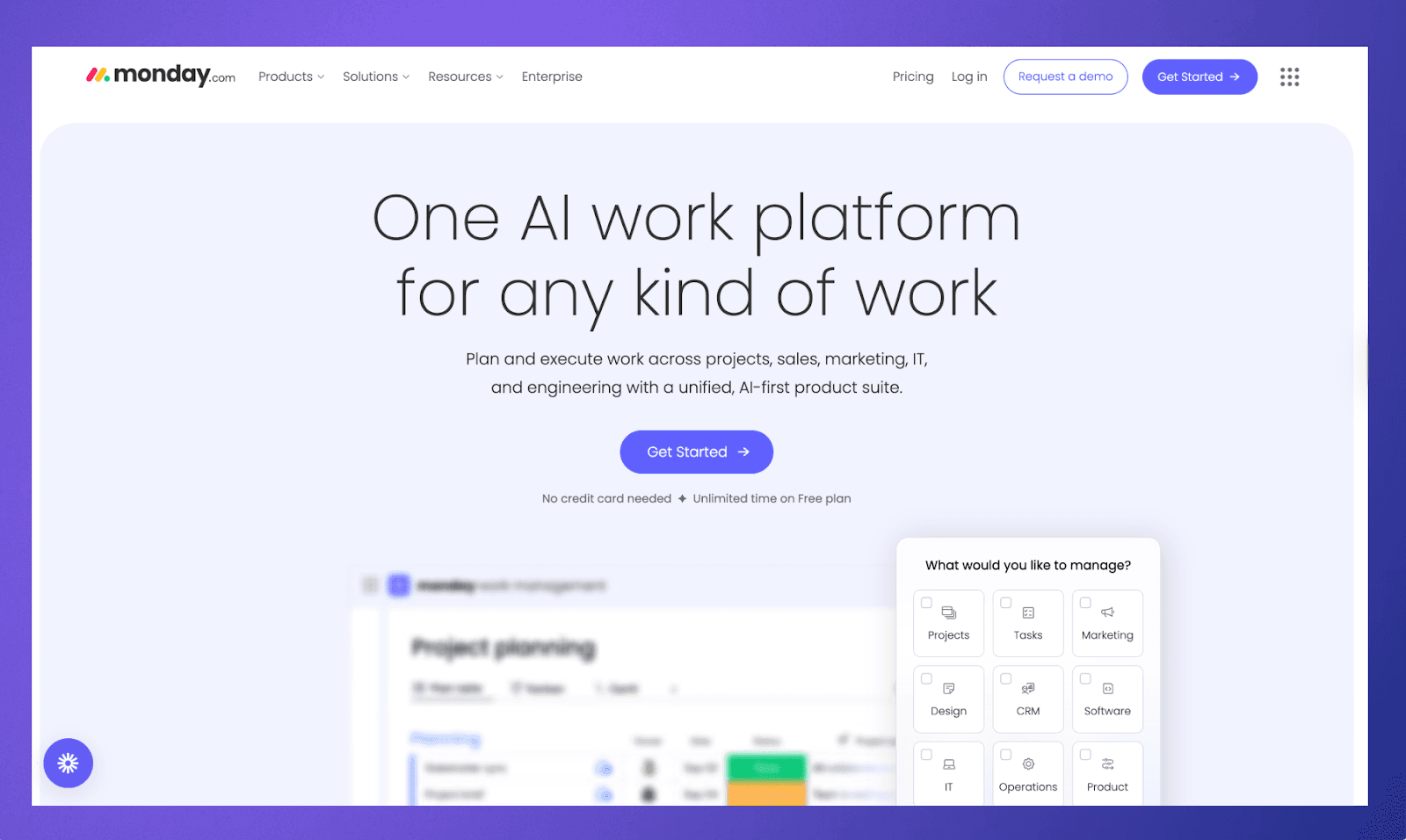
Sales Forecasting & Pipeline Management: Customize pipelines without coding, drag-and-drop deals between stages, track revenue predictions, and use AI for precise forecasting on higher tiers.
Contact, Lead, and Opportunity Management: Access unlimited contacts on most plans along with lead scoring, 360° customer views, and duplicate merging for clean data.
Custom Dashboards & Reports: Build dashboards combining data from multiple boards with real-time analytics, sales insights, and customizable widgets.
Workflow Automation: Use one-click automations for notifications, task assignments, reminders, and sequences.
Collaboration Tools: Centralize communications with activity logs across, team goals, mass emails, and mobile apps for iOS/Android.
AI & Automation: Enable AI-based capabilities for data enrichment, writing assistance, and lead qualification.
Third-Party Integrations: Unlock connections to email platforms, Google Calendar, Slack, Zoom, and more depending on your plan.
Monday.com Pricing Breakdown
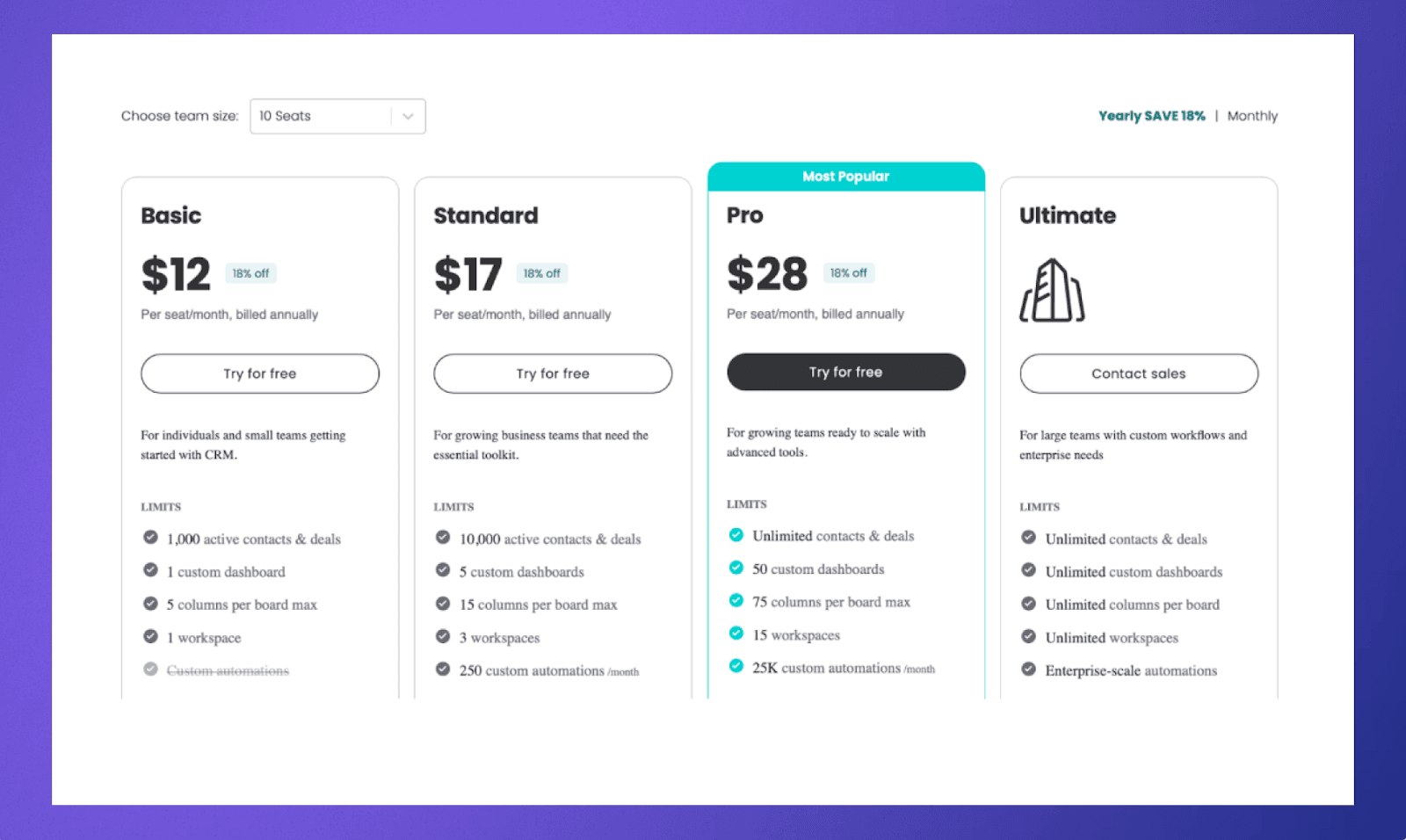
Monday.com’s pricing can scale with your team’s needs, offering flexible tiers that unlock progressively more advanced CRM features. Below is a breakdown of Monday.com pricing by year:
Basic: $12 per user/month; 1,000 active contacts/deals, 1 dashboard, 5 columns/board, custom automations, unlimited boards/pipelines/viewers, iOS/Android apps.
Standard: $17 per user/month; 10,000 contacts/deals, 5 dashboards, 15 columns/board, 250 automations/month, 2-way email sync, mass emails, sequences, AI credits.
Pro: $28 per user/month; unlimited contacts/deals, 50 dashboards, 75 columns/board, 25K automations/month, forecasting, email templates/tracking, quotes/invoices, sales analytics.
Enterprise: Custom quote; unlimited everything, enterprise automations (250K+/month), lead scoring, advanced analytics, security/governance, HIPAA, 24/7 support, white-glove migration.
Monday.com Pros and Cons
Monday.com’s visual design and flexibility stand out as its biggest advantages. Specifically, the board-based interface, color-coded statuses, and multiple views make it easy for teams to see what is happening at a glance—keeping teams aligned and on track towards their goals.
Other notable Monday.com pros include:
Strong customization without heavy coding, letting non-technical users adapt boards, fields, and views to their workflows.
Built‑in automations and integrations that streamline notifications, handoffs, and routine CRM tasks.
A unified platform for CRM functions and project management, reducing the need for multiple disconnected tools.
Despite these strengths, Monday.com does have drawbacks that become more apparent as organizations scale or use it as their primary CRM.
Common Monday.com cons include:
Automation and integration limits on lower payment tiers, which may force early upgrades as teams automate more workflows.
A three‑user minimum and tiered pricing structure that can be inefficient for solo users or very small teams.
Mixed customer support experiences, with some customers reporting delayed responses or difficulty resolving integration issues, especially at scale.
Less depth in native forecasting, advanced analytics, and relationship intelligence compared with specialized, enterprise-grade CRMs.
Best Use Cases for Monday.com
Monday.com tends to perform best for small to mid‑sized teams that want one platform for tasks, projects, and CRM needs without investing in heavyweight systems.
Diving in further, strong use cases for Monday.com include:
Startups and SMBs needing a simple but customizable pipeline to track leads, deals, and post‑sale projects in one place.
Marketing and revenue teams that want to tie campaign tasks to lead and deal records using shared boards and dashboards.
Agencies and service businesses managing client work, where each client’s CRM record naturally connects to project plans and deliverables.
On the other hand, organizations with very complex sales structures, heavy compliance requirements, or deep analytics needs may find Monday.com better as a supporting tool alongside a dedicated enterprise CRM.
Monday.com vs. CRM Alternatives
When compared with dedicated CRMs, Monday.com trades depth for flexibility and user-friendliness. Tools like Rings AI, built specifically for complex sales or investment workflows, provide richer forecasting, relationship intelligence, and AI-powered insights than Monday.com’s out-of-the-box CRM features.
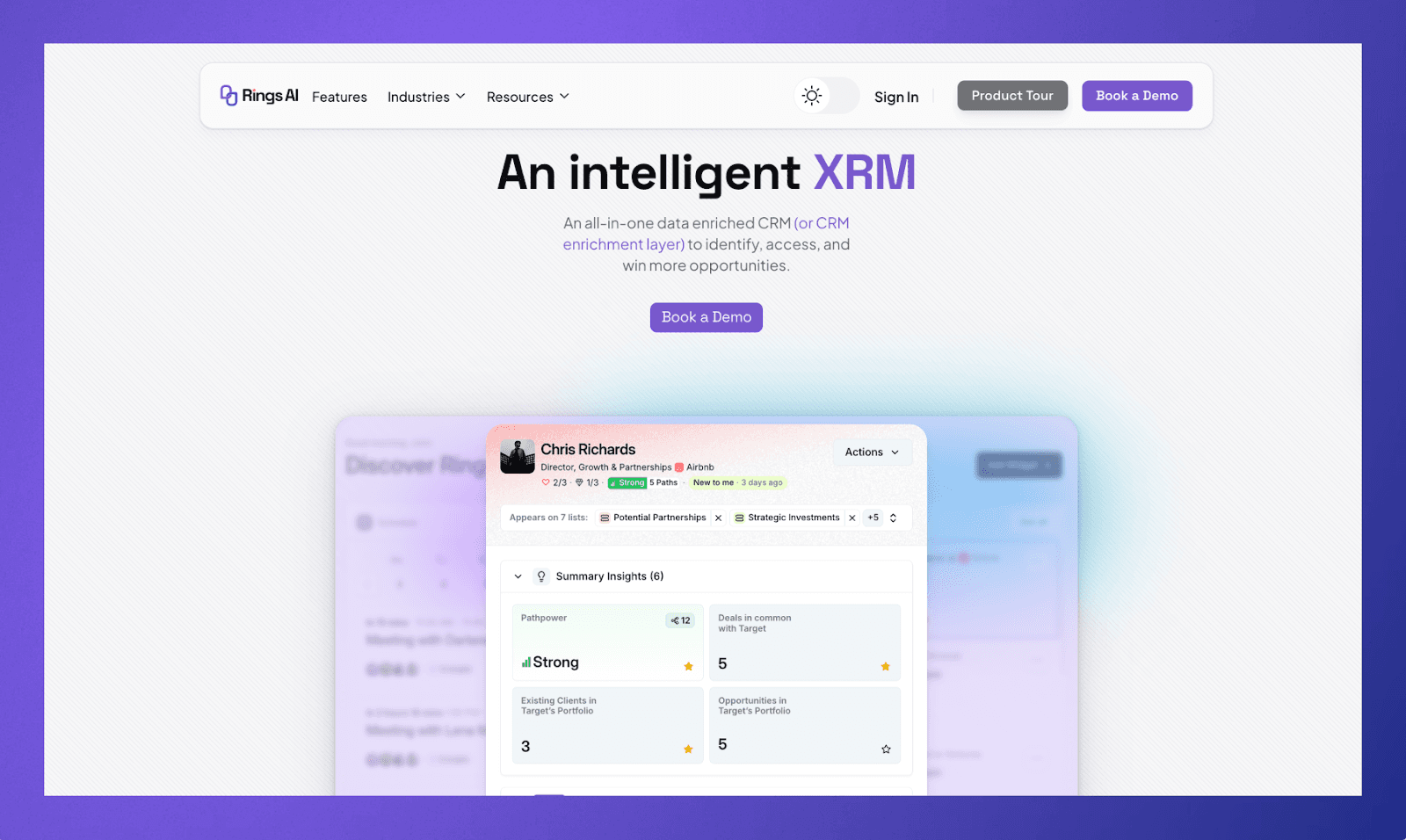
As a result, Rings AI stands out as a top Monday.com alternative for relationship-driven teams, offering automated relationship mapping, access to 100M+ data points, and strong security controls. It excels in prospecting beyond existing networks and offers over 7,000 integrations, making it ideal for venture capital, private equity, startups, and BD teams managing high-value relationships—areas where Monday.com’s project-focused CRM feels more generalist.
Unlock CRM Value with AI-Driven Tools
Monday.com is a versatile and visually intuitive CRM platform well-suited for small to mid-sized teams that want to manage sales pipelines and projects in one place. Its strong customization and collaboration tools empower teams to streamline everyday tasks without heavy technical overhead. However, as organizations grow and demand more advanced analytics and deeper relationship intelligence, Monday.com’s limitations become more apparent.
For businesses seeking a powerful alternative or complement to Monday.com, Rings AI offers a specialized, AI-driven CRM experience built for high-value relationship management and complex workflows. Overall, it’s the smarter choice for teams needing precision and business intelligence beyond general CRM capabilities.
Ready to get more from your CRM? Book a demo with Rings AI.